The popular advice says the best feed reader Android users can choose is the app with the most downloads, the highest store rating, or the longest feature list. That approach misses the actual decision. A reader that excels at cloud discovery may be poor for private, offline reading, while a lightweight local app may frustrate anyone who needs cross-device sync, newsletters, or advanced monitoring.
This comparison evaluates ten Android feed readers by the reading problem they solve. The practical criteria are Android usability, synchronization, feed handling, full-text access, offline behavior, privacy, paid limits, notification control, and setup effort. The list includes cloud services, local apps, open-source clients, self-hosted backends, discovery tools, filtering systems, and knowledge-capture workflows.
RSS still connects readers to a very large open web. BuiltWith trend data records 38,136,800 live websites using RSS and 86,771,786 total websites identified as RSS customers, which helps explain why Android readers remain useful despite the decline of individual reader apps. RSS trend data also puts the category in context: the value is aggregation across many publishers, not dependence on one closed platform.
Read More Info is a useful example of the publishing model. It's a lightweight WordPress publication with public content and comments feeds, so you can test how a reader handles both articles and discussion updates. If you're also building a publication, practical feed clickthrough rate tips can help turn subscriptions into visits.
Table of Contents
- 1. Feedly
- 2. Inoreader
- 3. NewsBlur
- 4. Readwise Reader
- 5. Feeder
- 6. FeedMe
- 7. FocusReader
- 8. Read You
- 9. Readrops
- 10. Fluent Reader Lite
- Top 10 Android Feed Readers, Comparison
- Choose the Reader You Will Actually Use
1. Feedly
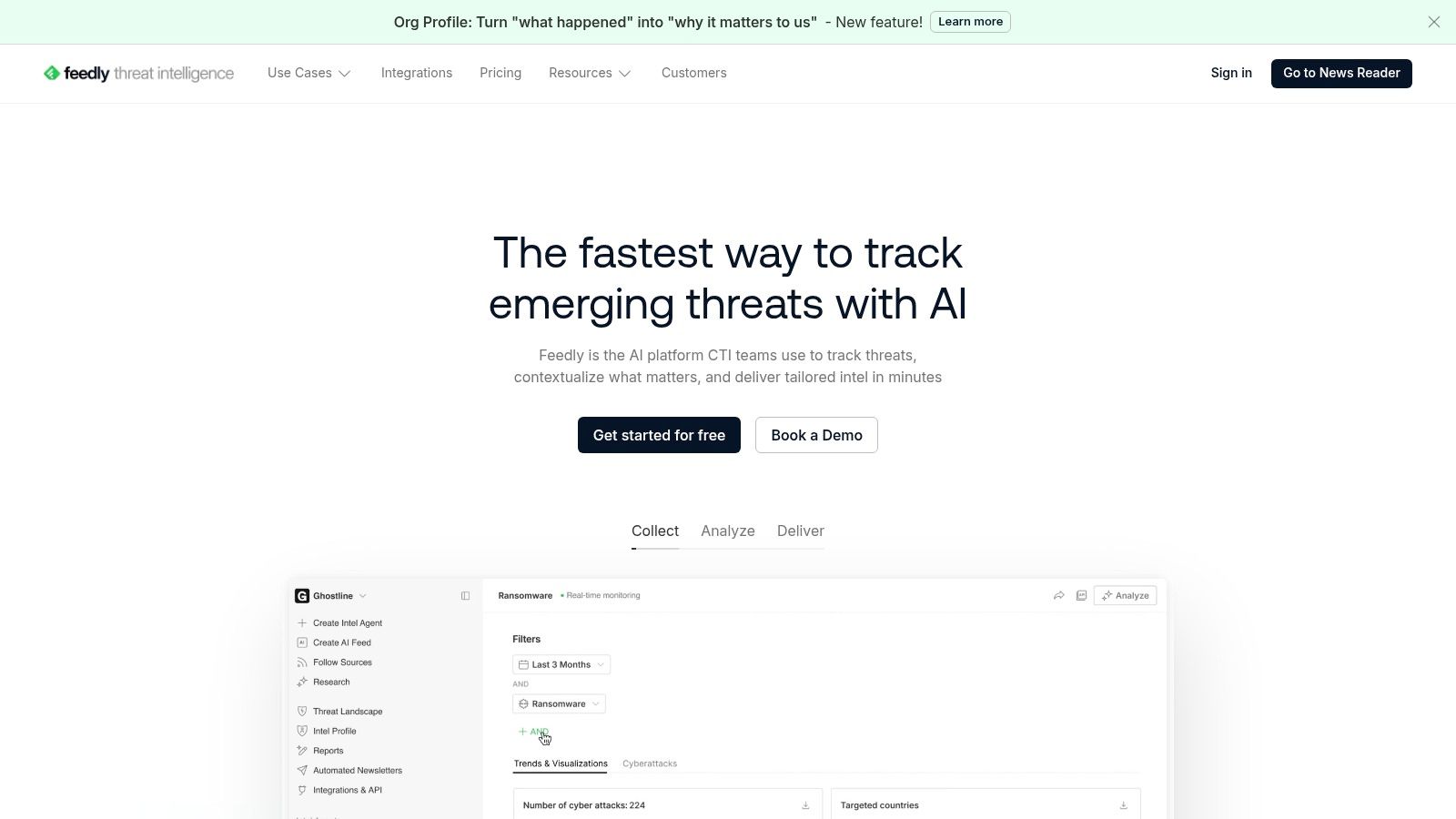
Feedly is the safest recommendation for readers who want a polished cloud service without spending time configuring every part of the system. Its Android app works alongside web, desktop, and iOS access, and the interface makes it easy to discover publications, arrange folders, save articles, and return to unfinished reading.
Best for discovery and cross-device continuity
Feedly is particularly effective when your reading list changes often. Discovery tools help you find sources by topic, while filtering and mute controls reduce repeated or irrelevant coverage. Newsletter ingestion, RSS Builder tools, automations, and integrations extend the service beyond ordinary feed reading, especially for research and content workflows.
The trade-off is control. You'll need an account, and the most powerful filtering, search, newsletter, and automation capabilities sit behind paid plans. Offline reading is also less compelling than in Android-first apps designed around local caching.
Practical rule: Choose Feedly when convenience across devices matters more than keeping every subscription and article entirely on your phone.
For a non-technical user, Feedly's onboarding is easier than assembling a self-hosted stack. It's also a sensible front end for a WordPress blog because public RSS feeds can be added without special publishing work. Choose it for polished discovery, integrations, and organizational scale, not for a local-only privacy model.
2. Inoreader
Inoreader suits people who treat RSS as a monitoring system rather than a casual newspaper. The Android app connects to the service's web and iOS clients, keeping subscriptions, folders, saved items, and reading decisions available across devices.
Best for rules and site monitoring
Its strength is granular control. Rules can route articles, apply tags, trigger automations, or separate high-priority material from general reading. Inoreader can also follow websites without conventional RSS feeds and turn newsletters into feeds, which is valuable when important sources publish inconsistently.
That flexibility creates a steeper learning curve. A casual reader may find the settings excessive, while advanced features and higher limits require Pro or Team plans. Plan structures have evolved, so check the current terms before building a workflow around a particular capability.
For monitoring, Inoreader is more suitable than a simple local reader because the service can watch sources and process incoming material continuously. It's a strong fit for analysts, editors, marketers, and anyone tracking competitors or niche topics. It can also handle a publication such as the Read More Info blog as one source within a larger monitoring system.
Use Inoreader when: Your problem is not finding feeds, but deciding what should trigger an alert, receive a label, or disappear from the main queue.
The app is powerful, but it can make reading feel like administration if you only follow a small group of sites.
3. NewsBlur
NewsBlur is a veteran reader for people who want filtering that learns from their reading without handing the entire experience to an opaque algorithm. It has native Android and iOS apps plus a web interface, so it works for users who move between phone and computer.
Best for human-guided filtering
NewsBlur's intelligence training lets you indicate which stories, topics, and sources deserve attention. That approach is useful when a feed is valuable but noisy. Instead of abandoning the source, you can teach the service which patterns matter and use different views to move between the original page, a readable text version, and an expanded article.
The “Read the Full Story” behavior is important for feeds that publish excerpts. The “Original Site” view provides a fallback when extraction doesn't work. Per-feed mobile notifications are also practical for a small number of high-priority sources, although enabling alerts for everything quickly recreates the interruption problem RSS is supposed to solve.
Premium plans are needed for capabilities such as broad full-text search and larger site counts. That's a reasonable trade if you value a straightforward service model, but less attractive if you want a completely local setup.
NewsBlur works best when you want privacy-minded filtering and dependable reading modes rather than a large automation platform. It's less focused on newsletter ingestion and knowledge management than Feedly or Readwise Reader, but it handles imperfect feeds with useful flexibility.
4. Readwise Reader
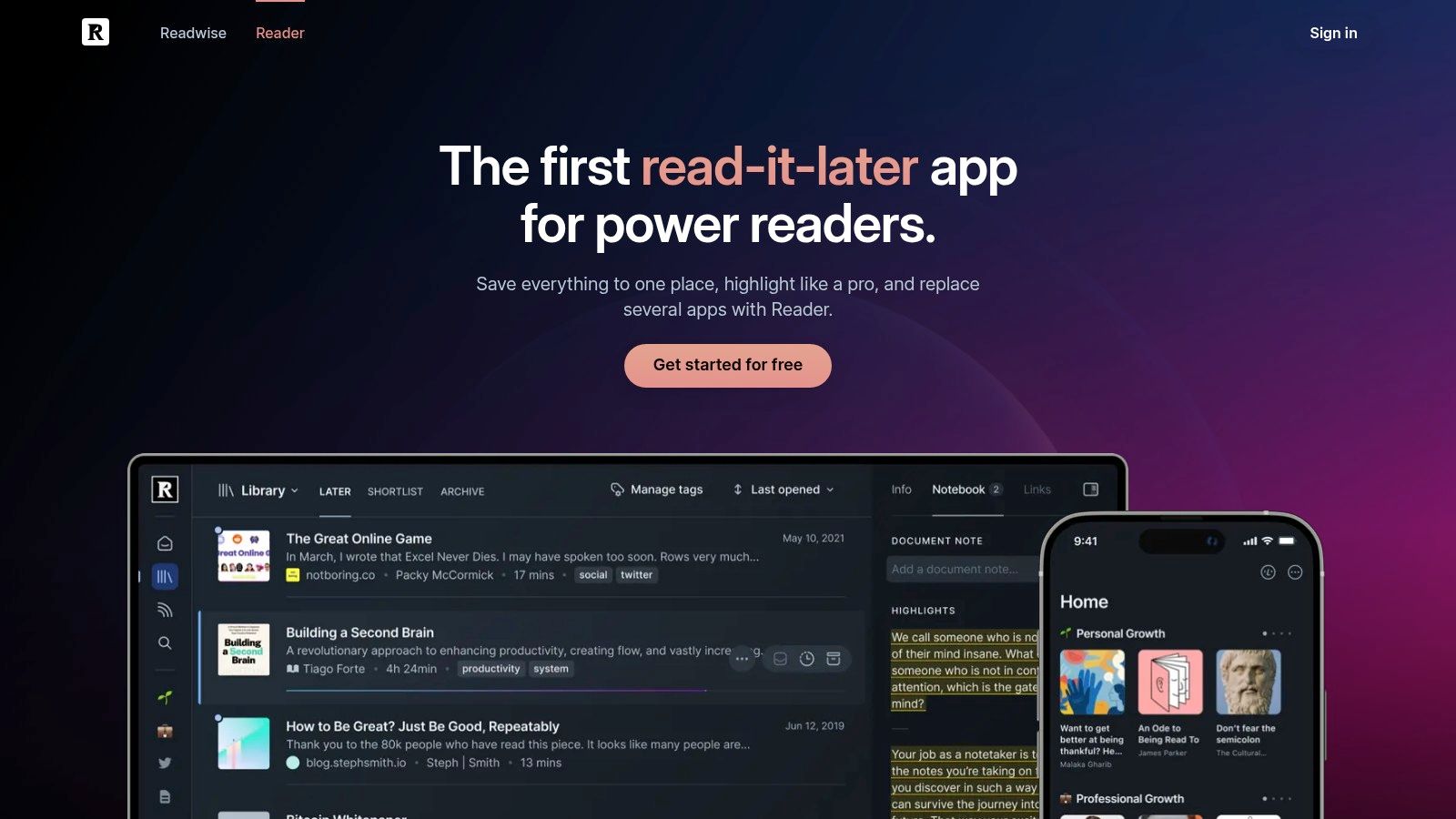
Readwise Reader is not merely an RSS inbox. It combines feeds with newsletters, saved web pages, PDFs, and EPUBs, then gives you tools for highlighting, annotation, review, and export.
Best for turning reading into knowledge
The distinction matters. A conventional feed reader helps you process headlines and articles. Readwise Reader is designed for the next step, when you need to preserve an argument, mark a passage, or move research into Obsidian, Notion, or another notes system.
Its Android, iOS, desktop, and web access make the workflow portable. Offline controls help when you want to prepare a reading queue before commuting, while article highlights and annotations remain useful after the original feed item leaves the front page. AI-assisted reading and review can support summarization, but the core value is still the annotation pipeline.
The cost is higher than that of a basic RSS app. After the free trial, Readwise requires a subscription, so it's difficult to justify if you only want a stream of headlines. It also introduces more concepts than a minimal reader, including document types, highlights, exports, and review workflows.
Reading insight: If you regularly save articles but rarely revisit them, a reader with strong annotation and review tools may solve a bigger problem than a faster inbox.
Choose Readwise Reader for knowledge capture, research, and long-form reading. Choose something else if privacy, local storage, or a no-account setup is your primary concern.
5. Feeder
Feeder keeps the reading experience focused. Its Android app emphasizes straightforward subscriptions, quick updates, push notifications, OPML import, and a clean interface rather than a broad ecosystem of research features.
Best for alerts without excessive complexity
Feeder is a good choice when a feed matters because it publishes timely updates. You can configure notifications around selected sources instead of relying on a general news app's algorithm. That makes it useful for release notes, industry announcements, company blogs, and publications where missing a new item has a practical cost.
The setup is uncomplicated, and the plan structure is easy to understand. Team-friendly features add value for shared workflows, while frequent polling and larger limits are reserved for higher plans. If you follow a large number of feeds or need extensive history, those limits deserve attention before you commit.
Feeder's privacy-minded positioning makes it more appealing than a reader built around social recommendations. Still, it's a cloud service, so it isn't the same as a local-only reader with no account. Faster updates and advanced capabilities may also require payment.
A strong implementation starts with a small set of alert-worthy feeds. Use ordinary feeds for background reading, then reserve push notifications for sources that justify immediate attention. That distinction keeps Feeder useful instead of turning it into another notification channel.

6. FeedMe
FeedMe is the practical pick for Android users who care about offline reading, speed, and backend flexibility more than visual polish. It can work locally with OPML imports or connect to services including Feedly, Inoreader, BazQux, The Old Reader, Tiny Tiny RSS, and FreshRSS.
Best for commuters and heavy skimmers
FeedMe's offline behavior is its clearest advantage. You can download articles and images before leaving a reliable connection, then read through a queue without waiting for every page to load. Text-to-speech and gesture controls make it suitable for hands-free listening or fast, one-handed triage.
An independent Android benchmark found FeedMe had the fastest sync latency among eight actively maintained clients, with a median 1.42 seconds from feed-update notification to a fully rendered article list across 500 RSS sources on Android 14 using identical Pixel 7 Pro devices. The same benchmark measured 11.8 MB RSS idle RAM for FeedMe, compared with 41.5 MB for Feedly. The benchmark details make memory and responsiveness meaningful selection criteria for mid-range phones and busy background-app environments.
A separate task-completion evaluation found that a highly rated reader took 4.83 seconds on average to display and scroll to the first full paragraph, more than 2.6 times slower than FeedMe, while using 217 MB of RAM during background sync. That Android evaluation illustrates why store ratings don't always predict reading speed or resource cost.
The compromise is an utilitarian interface. FeedMe rewards configuration and repeated use, but it won't feel as immediately refined as Feedly.

7. FocusReader
FocusReader concentrates on the Android reading surface. Its Material interface, gesture navigation, readability options, translation tools, and per-feed full-text controls make it appealing when the act of reading matters more than administration.
Best for comfortable full-text reading
The app supports a broad range of backends, including Feedly, Inoreader, The Old Reader, Feedbin, BazQux, Tiny Tiny RSS, FreshRSS, and Fever. That gives you a polished front end without forcing you to abandon a service or self-hosted system you already trust.
Its readability pipeline is useful for difficult feeds. A publisher may provide only a short excerpt, use cluttered markup, or format its page in a way that performs poorly inside ordinary readers. FocusReader can offer a more consistent article view and translation when language is part of the reading workflow.
The trade-off is business-model friction. Some capabilities require in-app purchases, and development may feel less predictable than with larger hosted services. You'll also want to test the feeds that matter most, because full-text extraction can vary by publisher.
FocusReader fits readers who spend substantial time inside the Android app and want gestures, typography, and navigation to feel deliberate. It's less suitable if you want a completely local, account-free reader.
8. Read You
Read You takes the local-first route. It's a free, open-source Android reader built with Kotlin and Jetpack Compose, using a Material You design that feels current without requiring a cloud account.
Best for local control and simplicity
Read You manages feeds locally and supports OPML import and export. That's enough for readers who want to subscribe, browse, save a small number of items, and keep control of where subscriptions live. Distribution through F-Droid and GitHub also suits users who prefer open-source release channels.
The absence of sign-in is the central benefit. You don't have to create another service account, hand subscriptions to a hosted provider, or accept a cloud layer merely to read public feeds. That makes Read You a strong fit for privacy-conscious users who read primarily on one Android device.
There's a real limitation, though. Built-in service integrations are narrower than those of Feedly, Inoreader, FeedMe, or FocusReader. If you switch frequently between phone and desktop, need server-side search, or want a shared reading state, local simplicity can become manual work.
Choose local storage when: Your priority is reducing dependence on a service, and you're comfortable giving up some cross-device convenience.
Read You is not the most powerful app in this list. It's one of the clearest answers for lightweight, private, account-free RSS reading.
9. Readrops
Readrops sits between a local app and a commercial cloud reader. It's open source, supports local use, and connects to self-hosted services such as FreshRSS and Nextcloud News.
Best for self-hosted synchronization
This is the right direction for readers who want multi-device sync without placing their subscriptions in a large commercial platform. Your server becomes the source of truth, while Readrops provides the Android interface for reading, sorting, and keeping progress consistent.
The setup requires more ownership than Feedly or Feeder. You need a compatible backend, a working server, and a willingness to handle updates and troubleshooting. That effort is worthwhile for users who already run FreshRSS or Nextcloud, but it's unnecessary for someone who only wants to follow a few public blogs.
Readrops has a Material 3 redesign and Android 14 compatibility, and it's distributed through F-Droid, GitHub, and the Play Store. Its open-source model reduces vendor lock-in and keeps software costs near zero, although a smaller development team can mean that bug fixes and feature changes take longer than they do in a commercial product.
Use Readrops when private sync is the problem. Use Read You when local reading is enough. Use FeedMe when you need to connect to several kinds of hosted or self-hosted backends from one Android client.
10. Fluent Reader Lite
Fluent Reader Lite is aimed at readers who want a clean mobile companion to the Fluent Reader desktop ecosystem. Built with Flutter for Android and iOS, it keeps the interface lightweight and avoids the density of a monitoring platform.
Best for a minimal cross-platform setup
OPML import makes the initial move straightforward, while simple full-text reading handles the basic job of opening articles without sending you through a maze of options. Regular releases and public issue tracking provide useful visibility for open-source users.
Fluent Reader Lite works well when your needs are modest: follow feeds, read items, keep a consistent experience between desktop and mobile, and avoid unnecessary account layers. It isn't designed to replace Inoreader's rules or Readwise Reader's annotation system.
That limited scope is both the attraction and the weakness. Heavy users may miss deeper filtering, richer offline controls, advanced notifications, or broad backend integrations. A minimalist app can also feel incomplete if your reading workflow has grown into research, team sharing, or content automation.
For a small personal feed list, Fluent Reader Lite is refreshingly direct. It's especially suitable for people who already use Fluent Reader on desktop and want the same general philosophy on their phone. It also pairs naturally with a publication built around simple WordPress blog layouts, where clear content matters more than a complex reading interface.
Top 10 Android Feed Readers, Comparison
| Reader | Core features ✨ | UX / Quality ★ | Price / Value 💰 | Best for 👥 | Standout 🏆 |
|---|---|---|---|---|---|
| Feedly | Android/web/iOS, AI filters, newsletter→RSS, many integrations | ★★★★ polished, easy onboarding | 💰 Freemium (Pro/Pro+/Enterprise) | 👥 Non-technical users & teams | 🏆 Discovery & integrations |
| Inoreader | Rules/automations, web feeds, fast updates, newsletter→feed | ★★★★ power-user controls | 💰 Freemium (Pro/Team for higher limits) | 👥 Power users & site monitors | 🏆 Granular filters & rules |
| NewsBlur | Intelligence training, per-feed notifications, Original/Text view | ★★★★ privacy-minded, reliable mobile | 💰 Affordable paid tiers, transparent | 👥 Privacy-focused readers | 🏆 Flexible view modes & feed expansion |
| Readwise Reader | RSS + newsletters + PDFs, highlights, exports to Obsidian/Notion | ★★★★ focused on knowledge workflows | 💰 Subscription after trial (higher-end) | 👥 Researchers & note-takers | 🏆 Best highlight/export workflow |
| Feeder | Fast polling, push notifications, OPML, team features | ★★★★ minimal, dependable alerts | 💰 Freemium (Plus/Pro/Enterprise) | 👥 Users needing timely alerts | 🏆 Reliable push notifications |
| FeedMe (Seazon) | Excellent offline download, TTS, sync with many backends | ★★★★ optimized for heavy skimming | 💰 One-time / affordable paid app | 👥 Commuters & offline readers | 🏆 Best Android offline experience |
| FocusReader | Material UI, readability/full‑text, translation, many backends | ★★★★ polished, fast navigation | 💰 Free + in-app purchases | 👥 Android users switching services | 🏆 Readability & translation pipeline |
| Read You | Local feeds, OPML, Material You, no sign-in (FOSS) | ★★★★ clean, lightweight | 💰 Free & open-source | 👥 Privacy-preferring local users | 🏆 No-account, open-source simplicity |
| Readrops | Multi-backend (FreshRSS/Nextcloud), Material 3, FOSS | ★★★★ self-host friendly | 💰 Free & open-source | 👥 Self-host/FreshRSS users | 🏆 Seamless self-hosted sync |
| Fluent Reader Lite | Cross-platform mobile, OPML, simple full-text reading | ★★★★ distraction-free, consistent | 💰 Free & open-source | 👥 Users pairing with desktop app | 🏆 Lightweight mobile + desktop parity |
Choose the Reader You Will Actually Use
The best feed reader Android users can choose depends on where reading friction appears first. Feedly is the practical starting point for polished discovery, easy onboarding, cross-device sync, and integrations. Inoreader is better when you need rules, monitoring, web feeds, newsletter ingestion, and granular automation.
Choose NewsBlur if you want human-guided filtering, flexible article views, and a privacy-minded service model. Choose Readwise Reader if the important result isn't marking an article read, but extracting an idea, annotating a passage, and moving it into your knowledge system.
Feeder is the notification-focused option. It's a good fit for readers who want dependable alerts and a straightforward interface without turning every subscription into a complicated workflow. FeedMe is the strongest choice for heavy Android reading, offline queues, backend interoperability, and efficient skimming.
FocusReader suits users who care about reading comfort, readability tools, translation, and the freedom to connect different backends. Read You is the clean local open-source option for people who don't want an account. Readrops is the better answer when you want private synchronization through FreshRSS or Nextcloud News. Fluent Reader Lite works for a minimal mobile experience that complements its desktop ecosystem.
RSS also remains a practical open publishing layer. WordPress sites include built-in feeds, and adding /feed/ to a site address is the standard way to access the main feed. WordPress also provides /comments/feed/ for following discussion activity, while its documentation distinguishes comment-only feeds from feeds containing site content. WordPress feed documentation explains the public endpoint pattern, and the developer documentation for comment feeds covers site-wide and per-post discussion feeds.
Read More Info makes a useful test case because it offers both the main article feed and the comments feed. Add the content feed first, then test whether your chosen app can display article text cleanly, cache it for offline use, preserve unread state, and handle new discussion entries without mixing them into the main reading queue.
Keep the implementation small at the start:
- Subscribe selectively: Begin with a few reliable feeds instead of importing every source you've collected.
- Use OPML when moving: Export an OPML file from the old reader when available, then import it into the new app and check folders manually.
- Test full text: Open several articles from different publishers because extraction quality varies by feed.
- Test offline behavior: Download a reading queue before leaving Wi-Fi and confirm that images, article text, and saved items behave as expected.
- Configure notifications carefully: Alert only on feeds where immediacy matters, and leave routine publications for scheduled reading.
The local-versus-cloud decision deserves equal attention. Cloud readers provide convenience, server-side processing, cross-device continuity, discovery, and automation. Local readers reduce account dependence and give you more control, but they may require manual export, separate device setup, or your own server. Neither model is universally superior.
The same evaluation discipline applies beyond RSS. If your wider workflow includes free office tools, free tools, free AI tools online, free OCR tools, free editing tools for videos, free tools for video editing, free daemon tools, free ZIP tools, free Pro Tools download, Pro Tools free download, free keyword tools, free keyword tool, free tools like Photoshop, free budgeting tools, free humanizer tools, free tools online, free wireframe tools, free BI tools, free visualization tools, free writing tools, free drawing tools, free CRM tools, or free map tools, compare each product by the job it removes, not by the number of features shown on its landing page.
Start with the reader you'll open every day. Subscribe to a small set of public feeds, test the experience on your actual Android device, and only then build folders, rules, alerts, or self-hosted infrastructure around it.
Read More Info offers straightforward WordPress posts, public RSS syndication, comments RSS, search, and a responsive reading experience for general audiences. Visit Read More Info to explore the publication and add its open feeds to the Android reader that best matches your workflow.