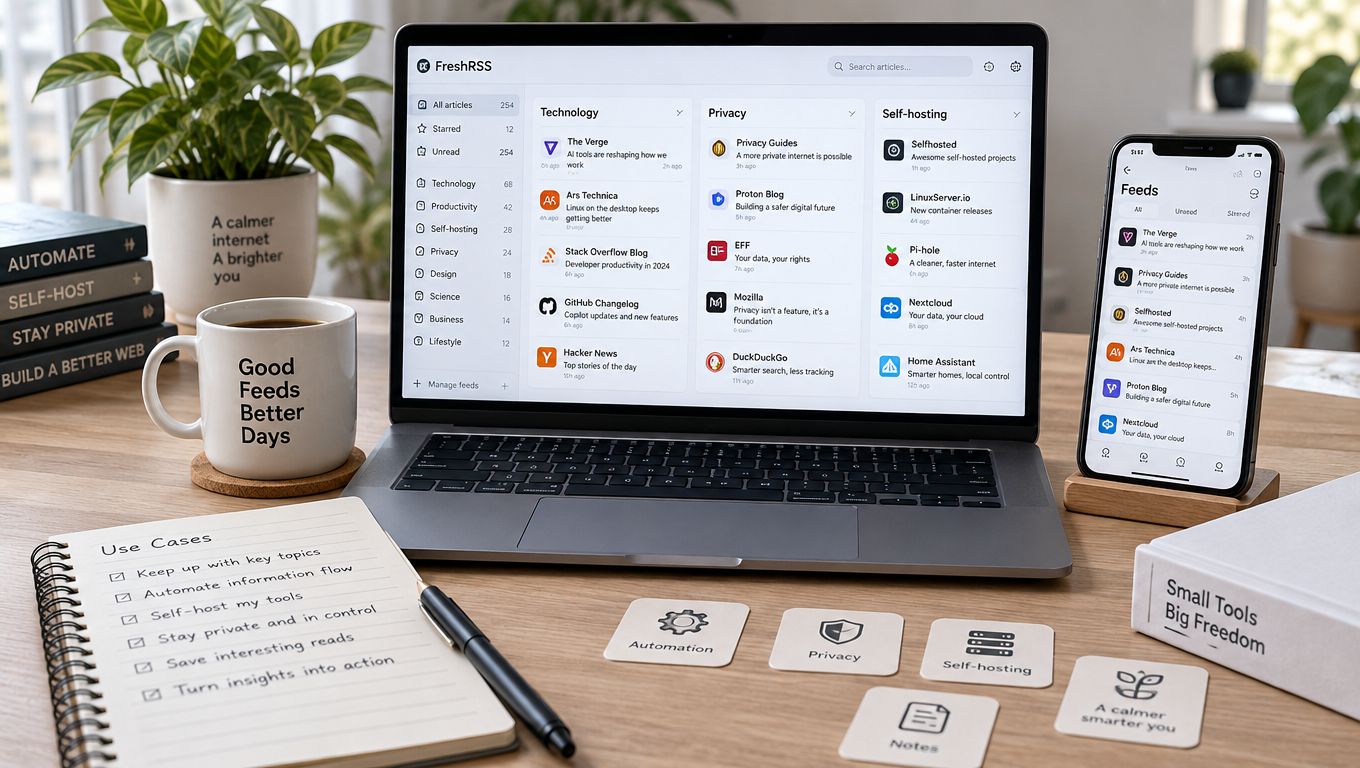
The most popular advice about the rss feed reader best is usually wrong because it assumes every reader wants the same thing. A solo researcher handling a large queue needs different controls from someone who follows a few blogs on an iPhone. Your real decision depends on source volume, triage habits, platform, privacy expectations, full-text reading, automation, and whether you're willing to maintain a server.
RSS works because the format is open and predictable. RSS 2.0 is an XML-based syndication format built around a standard channel and item structure, which lets one reader collect updates from many websites through a common interface. The RSS 2.0 specification documents that structure. For a practical test, subscribe to Read More Info's main RSS feed and its separate comments RSS feed. WordPress documents that comments can be syndicated independently from site content through a comments feed, which makes this a useful test of both publishing and discussion monitoring. WordPress feed documentation explains the distinction.
This roundup compares how ten readers behave in real workflows, including their limitations, platform fit, and implementation effort. It moves from managed, automation-heavy services to focused native apps, browser tools, and self-hosted options. The aim isn't to repeat promotional feature lists. It's to help you build a daily reading system you'll actually keep using.
Table of Contents
- 1. Feedly
- 2. Inoreader
- 3. Feedbin
- 4. NewsBlur
- 5. The Old Reader
- 6. BazQux Reader
- 7. NetNewsWire
- 8. Reeder
- 9. FreshRSS
- 10. Feedbro
- Top 10 RSS Feed Readers, Feature Comparison
- Choose the Reader You Will Actually Maintain
1. Feedly
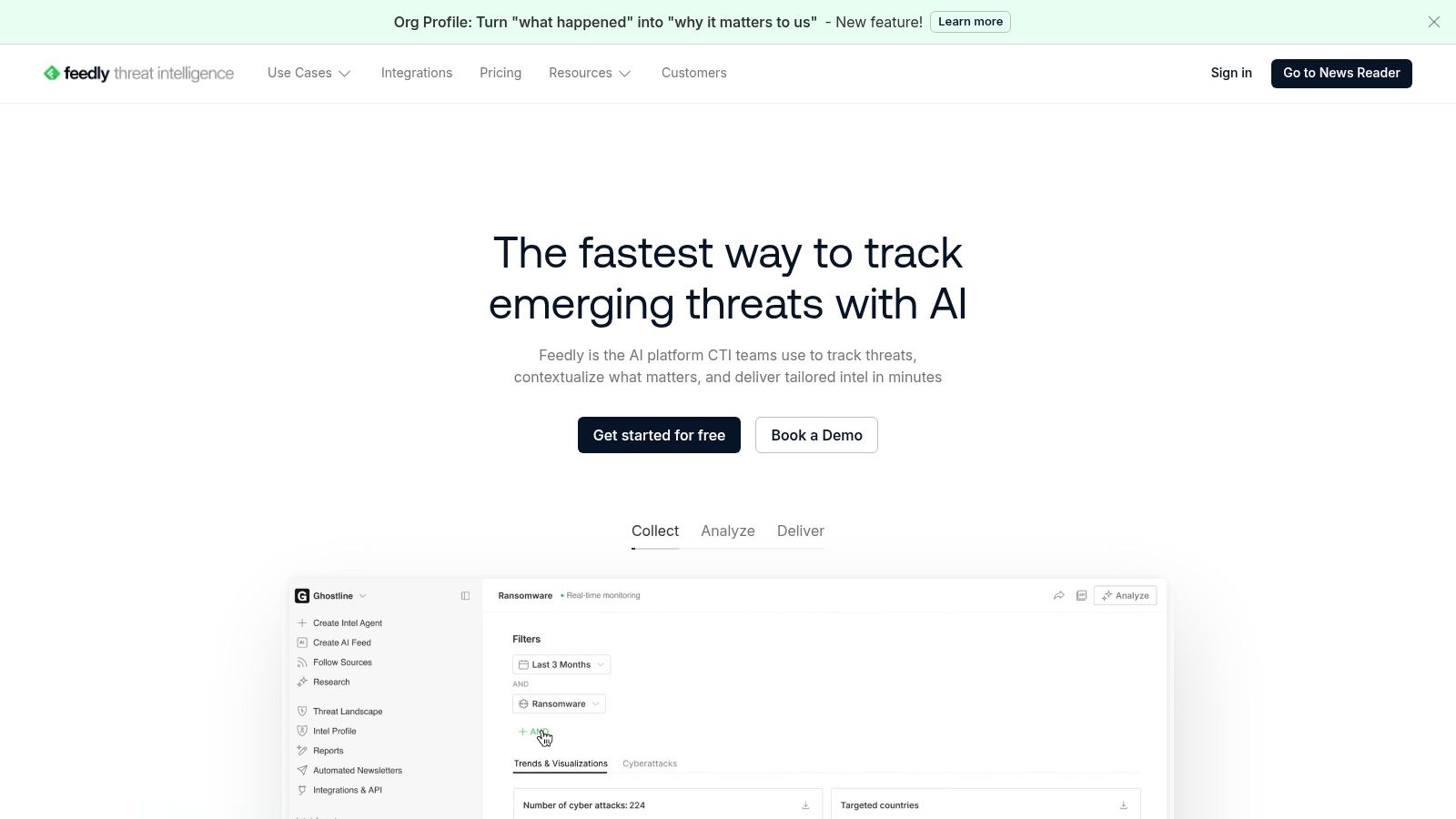
Feedly is the sensible starting point for people who want a managed cloud reader with broad discovery and a mature ecosystem. It handles folders, tags, saved searches, newsletter capture, and integrations with automation services such as Zapier and IFTTT. The interface is approachable enough for a first subscription, but it also gives researchers and teams room to build more deliberate monitoring workflows.
The Newsletter-to-RSS inbox is particularly useful when a publisher offers email updates but no public feed. You subscribe using a unique Feedly email address, then keep those messages beside ordinary RSS sources. That prevents newsletters from becoming a separate reading queue. Feedly can also support workflows around creating a WordPress blog, where the site's feed becomes the reliable distribution layer after publication.
Best for managed discovery
Feedly's strongest advantage is the combination of easy onboarding and ecosystem depth. It works well when you want one service to discover sources, read them, save items, and pass selected stories into other applications. Its apps and integrations also make it a practical backend for third-party reader clients.
The compromise is plan complexity. AI-assisted filtering, summarization, market monitoring, and threat intelligence workflows are concentrated in higher tiers, so the most advanced experience isn't the basic reader experience. Individual and business plans also serve different needs, which can make the pricing path harder to understand than the clean interface suggests.
Practical rule: Choose Feedly when reducing setup friction matters more than maximizing local control.
It's a strong fit for marketers, analysts, and teams that need discovery plus automation. It's less attractive if you want a permanently free, minimalist reader or if you prefer to keep reading and data management outside a large hosted ecosystem.
2. Inoreader
Inoreader suits power users who want the reader to perform triage before they open an article. Its core strength is automation through rules, filters, tags, and notes. Instead of scanning every headline manually, you can route items based on words, sources, or other conditions and create a more purposeful stream.
That distinction matters once a subscription list becomes noisy. Inoreader can monitor standard RSS feeds alongside YouTube channels, podcasts, newsletters, social sources, and web feeds for sites that don't expose a native RSS endpoint. Its mobile apps also support rules and filters, so the automation isn't limited to a desktop session.
Best for high-volume monitoring
The service is at its best when you already know what you want to capture. A researcher can separate alerts from background reading. A content team can collect mentions, competitor updates, and industry sources into different workflows. A small business owner can use tags and notes to turn the reader into a lightweight research inbox rather than a simple headline list.
The trade-off is that advanced controls sit behind paid tiers, and plan details can vary by locale. That means you should test the exact rule, web-feed, and newsletter functions you need before importing a large source list. A feature can exist in the product while remaining unavailable to the plan you selected.
Inoreader also rewards maintenance. Rules need clear names, overlapping filters need occasional review, and automatic tagging can create clutter if every possible condition becomes a separate workflow. It isn't the best choice for someone who only wants a quiet chronological list.
Use it when the question isn't merely “What was published?” but “Which new items deserve my attention, and where should they go?”
3. Feedbin
Feedbin takes a quieter approach. It's a paid, ad-free reader built around chronological reading, full-text extraction, reliable synchronization, and native-app support. That focus makes it especially appealing to readers who don't want a discovery platform crowded with recommendations or business-oriented dashboards.
Its full-text extraction can turn a truncated feed into a more complete reading experience. Newsletter capture gives email-based publications a place in the same queue, while podcast and YouTube channel support extends the system beyond conventional articles. Powerful search and automatic actions help you retrieve and sort material without turning every reading session into an exercise in configuration.
Best for focused paid reading
Feedbin works particularly well with NetNewsWire and Reeder, giving Apple users a capable backend while preserving a clean native reading experience. It also fits people who want full-text access without manually opening every source website. The reading model is straightforward: subscribe, scan in order, save what matters, and return to search when you need it.
The major limitation is just as clear. There's no free tier, so Feedbin is a poor fit for readers who are still deciding whether RSS belongs in their routine. The paid-only model is easier to understand than a crowded tier structure, but it still creates an upfront commitment.
A good paid reader should remove recurring friction, not merely add more controls.
Feedbin is worth considering when ads, algorithmic ranking, and inconsistent feed content interfere with reading. It's less suitable if discovery, social monitoring, or broad automation is your primary requirement. For a small, deliberate source list and a full-text reading habit, its restraint is the feature.
4. NewsBlur
NewsBlur combines a hosted RSS service with an open-source path for users who want greater control. Its distinctive feature is trainable filtering. You can teach the reader which authors, tags, and words matter, allowing the system to separate interesting material from recurring noise.
The “River of News” folder view is designed for reading multiple feeds as one continuous stream. Text view extraction and full-text search make it more useful when publishers provide incomplete feeds, although some of those capabilities require paid access. Native iOS and Android apps keep the service practical for people who move between devices.
Best for a trainable workflow
NewsBlur is a good middle ground between a simple hosted reader and a fully self-managed installation. You can begin with the hosted service, learn how your reading habits work, and consider self-hosting through Docker if data ownership becomes more important. That path is valuable because it avoids forcing a server decision before you know whether you'll maintain it.
The self-hosting option also changes the responsibility boundary. You control the deployment and data, but you become responsible for updates, backups, availability, and troubleshooting. Hosted plans remove much of that work, while higher plans may be needed for faster fetching, archive depth, or full-text search.
The service's pricing is comparatively transparent, and its Premium option is generous for readers who want more than a basic account. Still, NewsBlur isn't frictionless for everyone. Trainable filters need attention, and a poorly designed training habit can hide useful articles along with irrelevant ones.
Choose it if you want the reader to learn your preferences and you value a credible route toward self-hosting. Choose a simpler service if you'd rather apply no rules at all.
5. The Old Reader
The Old Reader is for people who miss a familiar, uncluttered web reading experience. Its Google Reader-style interface puts the emphasis on subscriptions, unread items, folders, and straightforward scanning. The design feels less like a research platform and more like a dependable reading shelf.
That simplicity is useful for beginners. You can add a few sources, open the unread queue, and read in a predictable order without learning a large automation system. Social sharing and community features, including the blurblog, add a layer of interaction for readers who want to share or follow public activity around feeds.
Best for a familiar browser routine
The Old Reader makes sense when your primary device is a browser and your ideal reader is visually restrained. It's also a useful option for people who want a free entry point before paying for features such as full-text search and faster refresh.
The limitation is that the free tier has smaller feed caps than paid plans. Premium pricing and fuller plan details are presented during checkout rather than clearly exposed in a public comparison, so verify the current limits before committing to a large import. That lack of pricing visibility can make long-term planning harder, especially for teams or heavy users.
Its social features are a benefit only if you'll use them. Readers looking for private, solitary reading may find the blurblog model unnecessary. Conversely, someone seeking advanced rules, web monitoring, or newsletter automation will likely outgrow the service.
The Old Reader is best when the product's restraint matches your routine. It won't win on the longest feature list, and that's precisely why it remains appealing to readers who want fewer decisions between opening the app and reading an article.
6. BazQux Reader
BazQux Reader is a focused paid reader for people who care about speed, privacy, and getting the article into the reading pane. Its interface is intentionally minimalist, and its full-text conversion is one of the more practical reasons to choose it. Truncated feeds are less disruptive when the service can retrieve a fuller version for in-reader reading.
BazQux also brings article comments into the reader. That makes it useful for publications where discussion is part of the value, not merely an afterthought. It can monitor some social pages, including Facebook, Telegram, and VK, which gives it more range than a strict RSS-only tool without turning it into a general-purpose social dashboard.
Best for low-distraction full text
The interface feels fast because it avoids unnecessary layers. You can work through a queue, open the converted article, and keep your attention inside one reading environment. The no-ads design also supports a more private, concentrated workflow than many broad content platforms.
The drawbacks are concrete. There are no native mobile apps, so mobile use depends on the web app and the quality of your browser experience. BazQux is also paid-only beyond its trial, which rules it out for readers who need a permanent free option.
That trial is important. Use it to test the sources you read, because full-text extraction depends on how each publisher structures its feed and page. Also test comments if discussion monitoring is central to your work. A reader can advertise full-text support while still behaving differently across sites.
BazQux is a strong pick for someone who wants a fast, private reading surface and doesn't need a native app. It's not the right choice if mobile application polish or a free long-term plan outranks full-text convenience.
7. NetNewsWire
NetNewsWire is the clearest choice for an Apple-centered workflow. It's a free, open-source native reader for macOS and iOS with a modern interface, strong performance, and iCloud sync. The app feels like a native utility rather than a web service placed inside an application shell.
You can use iCloud for synchronization or connect NetNewsWire to external backends such as Feedbin, Feedly, and Inoreader. That flexibility matters because it separates the reading client from the service that fetches and stores feeds. You can choose a hosted backend for convenience or a different arrangement when control and portability matter more.
Best for Apple ergonomics
The main benefit is not an unusual feature. It's speed, keyboard-friendly navigation, and platform consistency across Mac and iPhone. If you already spend your working day in Apple environments, NetNewsWire removes the need to maintain a separate browser tab or learn a visually unrelated service.
Its limitation is decisive. There's no official Android or web app, so mixed-device households and teams may find the platform boundary inconvenient. The app also depends on the capabilities and availability of whichever sync backend you choose. A native client can't compensate for a backend that lacks the full-text or automation functions you need.
Pick the client first only when your devices are stable. Otherwise, pick the sync service first.
NetNewsWire is ideal for Apple users who value local-feeling performance and open-source software. It's less suitable for people who work across Windows, Android, and browser sessions or who need powerful server-side rules. In those cases, Feedly, Inoreader, or a compatible backend may matter more than the client itself.
8. Reeder
Reeder is built for Apple users who care about design, navigation, and a unified reading timeline. It brings RSS, read-later workflows, sharing extensions, and third-party backends into an elegant interface. The result is less utilitarian than NetNewsWire, which makes Reeder attractive when the reading experience itself affects whether you return each day.
It supports external services and iCloud synchronization for key data, so you aren't limited to one backend model. Reeder Classic offers a one-time purchase route, while newer Reeder variants can include subscription-based cross-device features. Those choices give users some flexibility, but they also mean that the exact feature set depends on which version and account arrangement they select.
Best for a polished Apple reading system
Reeder is especially good for readers who save articles as part of a wider system. A clean unified timeline reduces the need to jump between separate feed, read-later, and sharing tools. It also fits a content workflow that starts with scanning and ends with choosing WordPress blog layouts or another publishing task.
The trade-off is platform exclusivity. Reeder is Apple-only, so it won't solve a cross-platform requirement involving Android or Windows. Feature limits also vary between Reeder variants, and the purchase model can make comparisons less direct than with a single-purpose free client.
Reeder works when you want the app to make reading feel effortless and attractive. It isn't the strongest choice for self-hosting, server-side automation, or a browser-first organization system. If the main challenge is getting yourself to read consistently on Apple devices, however, a polished interface can matter more than an exhaustive rules engine.
9. FreshRSS
FreshRSS is the strongest option here for readers who want maximum control and are willing to run the infrastructure. It's a free, open-source, self-hostable web reader that can run on a server or NAS. You manage the installation, storage, updates, and access rather than handing those responsibilities to a hosted vendor.
It supports Linux, Windows, and macOS environments, Docker, and multiple database backends, including MySQL, PostgreSQL, and SQLite. Multiple view modes and an extensions ecosystem let you adapt the interface to different reading styles. Its Google Reader-compatible API also allows third-party clients to connect, which keeps the service from locking you into one web interface.
Best for ownership and extensibility
FreshRSS makes sense for technically comfortable users, privacy-conscious teams, and anyone who wants a stable personal service under their own administration. It can perform well with large feed lists, and its extensibility gives you more room to tailor the workflow than a tightly controlled hosted app. For a WordPress publisher, it also provides a useful private destination for blog updates without requiring a proprietary reader account.
The cost is operational rather than purely financial. You need a server, installation knowledge, update habits, backups, and a plan for secure remote access. Hosting costs depend on your environment, but even inexpensive infrastructure still demands attention. If the server goes down and you don't notice, your reading queue may stop updating without your realizing it.
FreshRSS is not a “set it up once and forget it” product. It rewards people who enjoy managing their tools and frustrates people who want support, automatic upgrades, and a polished mobile experience without configuration.
Self-hosting is a control decision, not a shortcut to less work.
Choose FreshRSS when privacy, ownership, extensibility, and client compatibility outweigh convenience. Choose a managed service when maintaining another application would become the reason you stop reading.
10. Feedbro
Feedbro is a browser-first RSS and Atom reader for people who discover sources while browsing. Its Chrome and Firefox extensions make adding a feed from the page in front of you quick, and it includes a full-page reader for a more comfortable view. A Feedbro account can synchronize the reading experience across supported browsers.
The extension model is the product's central advantage. You don't need to open a separate application every time you find a useful publication. You can capture it while researching, then return to the queue later. Rules and filters add automation, while server-side AI summaries are available as service features.
Best for browser-based capture
Feedbro works well for researchers, marketers, and writers whose RSS list grows out of daily web discovery. The free plan lowers the entry barrier, and support across major browsers makes it easier to use on different desktop environments. It's also a practical choice for someone who doesn't want to maintain a separate mobile or desktop reader.
The limitations follow directly from the extension architecture. Heavier or faster-fetch functions require the paid Coffee Club plan, and your experience depends on browser extension availability and support. A browser update, organizational policy, or unsupported environment can affect access more directly than it would with a dedicated native app.
Feedbro is best when capture speed matters more than a tightly integrated cross-device system. It won't be the ideal replacement for a full self-hosted service, a polished Apple client, or an advanced enterprise monitoring platform. It does, however, make the basic action of turning a discovered page into a feed subscription unusually direct.
Top 10 RSS Feed Readers, Feature Comparison
| Service | Core features ✨ | UX/Quality ★ | Value/Price 💰 | Best for 👥 | Standout 🏆 |
|---|---|---|---|---|---|
| Feedly | Folders/tags, AI summaries, newsletter→RSS, integrations ✨ | ★★★★☆ | 💰 Freemium, AI on higher tiers | 👥 Individuals & teams | 🏆 Discovery & ecosystem |
| Inoreader | Rules/filters, web feeds, socials & podcasts, mobile rules ✨ | ★★★★☆ | 💰 Freemium, advanced paid tiers | 👥 Power users & automators | 🏆 Automation & multi-source aggregation |
| Feedbin | Full-text extraction, newsletter capture, podcast support ✨ | ★★★★☆ | 💰 Paid-only (ad‑free) | 👥 Privacy-minded readers, native app users | 🏆 Clean, chronological reading |
| NewsBlur | Trainable filters, text extraction, native apps, self-host ✨ | ★★★★☆ | 💰 Freemium + self-host option | 👥 Users wanting self-hosting & control | 🏆 Self-hosting & transparent pricing |
| The Old Reader | Google Reader–style UI, social sharing, premium search ✨ | ★★★☆☆ | 💰 Freemium (limited free tier) | 👥 Users preferring simple, social web UI | 🏆 Familiar, uncluttered interface |
| BazQux Reader | Full-text conversion, in‑reader comments, social monitoring ✨ | ★★★★☆ | 💰 Paid (trial available) | 👥 Speed-focused, privacy-minded users | 🏆 Fast UI + in-reader comments |
| NetNewsWire | Native macOS/iOS app, iCloud sync, backend support ✨ | ★★★★★ | 💰 Free & open-source | 👥 Apple-centric users | 🏆 Native performance & iCloud sync |
| Reeder | Elegant UI, unified timeline, read‑later & share extensions ✨ | ★★★★★ | 💰 Paid (one-time/subscription options) | 👥 Apple users who want polish | 🏆 Design & ergonomics |
| FreshRSS | Self-hostable (Docker), extensions, Google Reader API ✨ | ★★★★☆ | 💰 Free (self-host; hosting cost applies) | 👥 Self-hosters & privacy-focused admins | 🏆 Extensibility & scale |
| Feedbro | Browser extension, full-page reader, rules & AI summaries ✨ | ★★★★☆ | 💰 Freemium (Coffee Club paid features) | 👥 Browser-centric users | 🏆 In-page feed discovery & quick add |
Choose the Reader You Will Actually Maintain
The right choice becomes clearer when you map the reader to the job rather than to a feature count. Feedly or Inoreader are the practical shortlist for discovery, mixed sources, newsletter capture, and automation. Feedly is easier to enter and works well across a broad ecosystem. Inoreader is the stronger choice when rules, filtering, web feeds, and multi-source monitoring will carry much of the workload.
Choose Feedbin or BazQux Reader for focused paid reading. Feedbin offers a clean service with strong native-app compatibility and full-text extraction. BazQux Reader is more minimalist and puts unusual emphasis on speed, privacy, full-text conversion, and comments inside the reader. Neither is the right answer if a permanent free plan is essential.
NewsBlur fits readers who want trainable filtering and a possible self-hosting route without committing to that route immediately. The Old Reader is better for a familiar, simple web experience, especially if you prefer straightforward chronological reading over extensive automation. For Apple users, NetNewsWire or Reeder should be the first comparison. NetNewsWire favors open-source utility and flexible backends, while Reeder emphasizes polished design and a unified reading experience.
FreshRSS is the maximum-control option. It makes sense when you're comfortable with servers, backups, extensions, and maintenance. Feedbro is the browser-first choice for capturing sources as you research, particularly when installing and maintaining a separate app would add unnecessary friction.
A practical setup sequence keeps the decision reversible:
- Start with a small source set: Add Read More Info's main feed and, if discussion monitoring matters, its comments feed.
- Create useful folders only: Separate work, research, publishing, and personal reading if those categories change what you do next. Don't build a taxonomy for its own sake.
- Test full-text behavior: Open several articles from different publishers and check whether the reader keeps you inside the reading view or sends you back to the source site.
- Check refresh and sync: Read an item on one device, then confirm that its state appears correctly on another device or client.
- Review the queue after several days: Remove sources you skip repeatedly before importing more. A smaller queue you trust is more valuable than a large queue you avoid.
If you publish through WordPress or manage feeds for a team, test the workflow from both sides. A publisher can use Scheduler.social's RSS setup for Outlook when feed delivery needs to connect with an inbox-based process. A reader should also verify that the feed exposes the content and discussion updates they want, rather than assuming every endpoint behaves identically.
RSS remains useful because it gives readers a predictable, chronological way to follow chosen sources. One study reported that only 12% of users knew about RSS, while 4% knowingly used it and 27% consumed it indirectly through personalized start pages. Among direct users, the average subscription load was 6.6 feeds, with 4.1 hours per week spent reading them. The study summary also shows why reader design matters: the best product is the one that makes your particular queue manageable.
Start with the platform you use every day, then judge the filtering model, full-text behavior, cost, privacy position, and maintenance demands. The best RSS feed reader isn't the one with the longest feature list. It's the one that fits your actual routine closely enough that you keep opening it.
Read More Info publishes accessible WordPress posts and updates with a standard content feed, a separate comments feed, search, and a responsive reading experience. Use it as a practical test source while comparing readers, then visit Read More Info to explore the site and follow future updates.