
You publish a useful article, share it once, and move on to the next task. A week later, the post is still valuable, but most readers have no practical way to know it exists. They may discover it through search, catch a social post between algorithm changes, or remember to visit your site manually. Most won't.
A sustainable site update notification system gives readers a direct route back to your work. The strongest setup doesn't depend on one channel. It combines an open RSS feed with permission-based email, selective web push, and lightweight social distribution, so readers can choose the level of interruption that suits them.
Table of Contents
- Why Readers Miss Your Best Content
- Building a Reliable RSS Subscription Workflow
- Setting Up Email Digests Without Looking Like Spam
- Deciding Between Web Push and Lightweight Social Automation
- Combining Channels Into a Clear Reader Strategy
- Testing Your Notification Setup for Common Issues
Why Readers Miss Your Best Content
A reader who follows several information sites already faces a small daily chore. They open bookmarks, scan social feeds, search for familiar names, and check inboxes for anything useful. Each site asks for attention in a different way, and the reader eventually abandons the routine.
That pattern creates a retention problem for publishers. Search can introduce a new visitor, and social platforms can extend reach, but neither gives readers a dependable subscription path. A person may appreciate an article without remembering the site address or seeing the next post in a crowded feed.
A WordPress publication can solve part of that friction with four complementary channels:
- RSS feed: A portable, reader-controlled stream for routine updates.
- Email digest: A permission-based summary for people who prefer their inbox.
- Web push: An opt-in browser alert for timely posts that justify immediate attention.
- Social automation: A discovery layer that republishes selected content where readers already spend time.

Practical rule: Don't treat every new post as an emergency. Routine articles belong in RSS or a digest. Push should earn its interruption.
This distinction matters when you design the rest of the site. A clean WordPress blog layout should make the subscription choices visible without turning the page into a control panel. Place a clear “Subscribe to updates” prompt near the end of an article, explain what each channel delivers, and let readers choose one or more options.
RSS is the durable foundation because it doesn't require a proprietary account or a permission token that can expire. Email adds familiarity and editorial control. Push creates immediacy, but it also creates the greatest risk of fatigue. Social automation can help new readers find the content, yet the publisher has limited control over who sees each post.
The practical model is therefore not “send more notifications.” It is match the channel to the reader's preference and the content's urgency. A general information site can keep the baseline quiet and portable, then offer faster channels for readers who actively want them.
Building a Reliable RSS Subscription Workflow
RSS is the simplest site update notification channel to keep available because WordPress already provides standardized feed endpoints. Readers can subscribe through a feed reader, an aggregation service, or an automation tool without creating an account on your website.
Start with feed discovery. On a WordPress site, the main post feed commonly follows the /feed/ path. A comments feed commonly follows /comments/feed/. For a publication with those endpoints, the direct subscription paths are the main post feed and the comments feed.
Choose the right stream
The main feed is for new articles. The comments feed is for discussion activity, which makes it useful when a reader wants to follow responses without subscribing to every post again. Keep the distinction visible in your subscription copy. “New articles” and “New comments” are clearer than presenting two unexplained feed icons.
Test both URLs in a browser and in at least one feed reader. A valid feed should display structured entries rather than a normal web page. Check that each item has a readable title, a working canonical link, a publication date, and enough content for the reader to decide whether to open it.
Excerpt feeds reduce scanning time and keep the reader in the original site, while full-text feeds can be more convenient for offline reading and accessibility workflows. Neither choice suits every audience. A publication built around short updates may benefit from fuller delivery, while a site focused on longer articles may use summaries to preserve the reading journey on the website.
Organize subscriptions before adding more
Choose a reader that fits your habits. Feedly and similar hosted readers offer a quick start, while self-hosted readers appeal to people who want greater control over storage and migration. The important feature isn't the brand. It's whether you can export subscriptions and organize them into useful folders.
A practical folder system might separate research, industry news, personal interests, and client monitoring. Keep the number of feeds manageable enough that the reader can scan titles without feeling buried. RSS has a major advantage here: it gives subscribers a stable URL they can move between compatible tools instead of locking their relationship to one delivery service.
If you're documenting the setup for beginners, explain what happens after the click:
- Locate the feed: Copy the site's post-feed URL, then identify the separate comments feed if discussion updates matter.
- Open a reader: Add the URL to a trusted feed reader rather than relying on repeated manual visits.
- Create a folder: Group related publications so new items can be scanned by topic.
- Review the delivery: Confirm that new posts appear with useful titles, links, dates, and readable summaries.
WordPress administrators should also monitor feed reliability. Caching can delay a newly published item, and a malformed plugin output can break parsing even when the homepage looks normal. Keep the feed URL stable, avoid unnecessary feed customizations, and test it after major theme or plugin changes.
RSS isn't obsolete because many readers don't know its name. It remains valuable because the subscription can travel with the reader.
For a practical foundation, the WordPress blog creation guide helps connect the publishing workflow with the feed that readers will use afterward.

Setting Up Email Digests Without Looking Like Spam
Email works best when the reader understands exactly what will arrive and how often. A form that says “Get updates” is weaker than one that says “Receive a weekly summary of new articles.” Clear expectations attract people who actually want the messages and reduce complaints from subscribers who misunderstood the offer.
Connect the form to a mailing service that supports WordPress, consent records, list segmentation, and a visible unsubscribe link. Don't import scraped addresses or add customers who never requested editorial updates. A smaller permission-based list is more useful than a large list that ignores, deletes, or reports messages.
Set a publishing rhythm
Match the digest to your publishing pace. Frequent publishers often need a digest that groups new articles, while occasional publishers may send an update only when there is something meaningful to share. An instant email can suit a time-sensitive publication, but it should be reserved for content where delay would reduce value.
Use a simple editorial format:
- Subject line: State that new articles are available and identify the central topic.
- Opening sentence: Tell subscribers what changed since the previous message.
- Article list: Put the newest or most important item first, with a short useful description.
- Action link: Send readers to the canonical article URL.
- Preference path: Make unsubscribe and frequency controls easy to find.
Mobile readability matters more than elaborate design. Keep the content column narrow, use descriptive headings, provide sufficient contrast, and make links large enough to select comfortably. A plain email with strong hierarchy often serves readers better than a heavily decorated template.
Protect trust after publication
Send a test message to desktop and mobile inboxes before activating the automation. Check the subject line, preview text, featured image, article links, sender identity, reply address, and unsubscribe path. Make sure the digest doesn't expose broken HTML or repeat the same post after an edit.
List hygiene is an ongoing task. Remove invalid addresses through the mailing platform's normal process, watch for repeated delivery failures, and don't keep increasing frequency to compensate for weak engagement. Let subscribers change cadence or leave without friction.
A digest should feel like a useful editorial service, not a demand for attention. If a reader can tell why the message arrived, what changed, and how to stop receiving it, the system is doing its job.
Deciding Between Web Push and Lightweight Social Automation
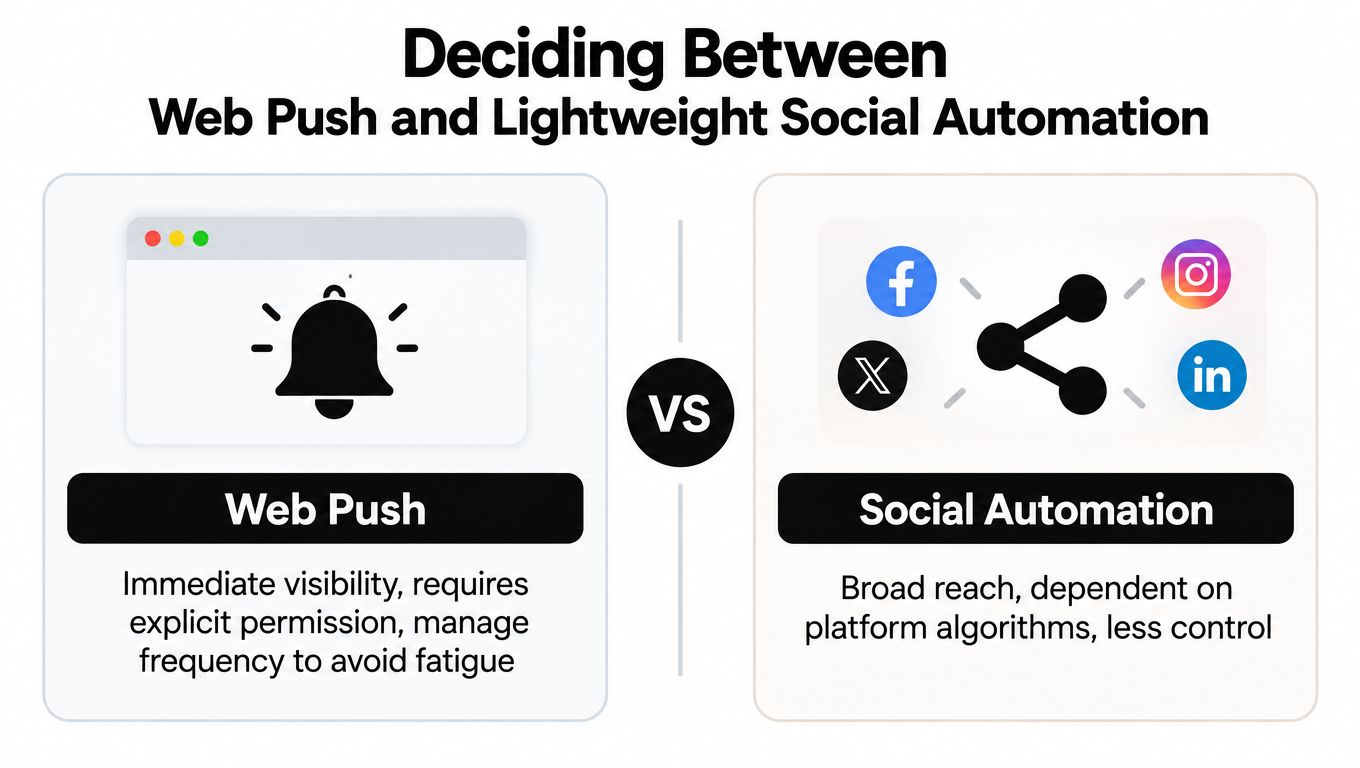
Web push has a clear appeal. A browser can display an alert when the site isn't open, giving a new article a more immediate path to the reader than a feed they may check later. That visibility comes with a cost, permission, interruption, subscription management, and the possibility that a poorly timed message will cause the reader to revoke access.
The technical reach is broad. One industry compilation reports more than 96% global browser support for web push and cites 413 million web-push messages in 2024 compared with 266 million in 2023, an increase of approximately 55%. These are market estimates, not official government statistics, so they indicate channel scale rather than a guarantee for an individual publisher. The industry compilation is useful context, but it shouldn't replace testing on your own audience.
Ask for permission after the reader has seen enough context to understand the value. Avoid showing the browser prompt immediately on page load, especially when the visitor hasn't interacted with the site. Explain what the alerts cover, how often they might appear, and where the reader can change the choice later.
Compare the delivery choices
| Channel | Strong fit | Main weakness | Sensible control |
|---|---|---|---|
| Web push | Readers who want immediate alerts | Permission and interruption fatigue | Opt-in, frequency limits, pause, and unsubscribe |
| Social automation | Discovery and recurring visibility | Platform algorithms control distribution | Schedule selected posts and vary the copy |
| RSS | Portable routine updates | Readers must use or understand a feed reader | Explain the feed and provide a direct subscription path |
| Readers who prefer a personal inbox | List hygiene and inbox competition | Digest choices, clear content, and one-click unsubscribe |
Social automation is useful when it extends distribution without pretending to be a direct subscription. Schedule a post when the article is published, use a concise description, and avoid sending every minor revision as a new alert. If you're comparing scheduling platforms, a guide to the best features in a scheduler can help you evaluate queueing, channel support, and reuse options.
Push needs operational discipline. After detecting a new feed item, generate a message with the title, canonical URL, and publication time. Queue it asynchronously, record the item ID, and make retries idempotent so a failed job doesn't create duplicates. Set a message TTL so an outdated alert expires instead of appearing long after the reader would find it useful.
Measure the funnel separately. Detection, enqueueing, delivery, display, clicks, unsubscribes, and duplicate alerts are different events. One reported industry dataset cites approximately 33% average push deliverability, while another reports a 26.3% blended view rate and a 38.1% median view rate among established senders. These benchmarks are operational context, not promises, and they appear in web-push performance statistics.
Combining Channels Into a Clear Reader Strategy
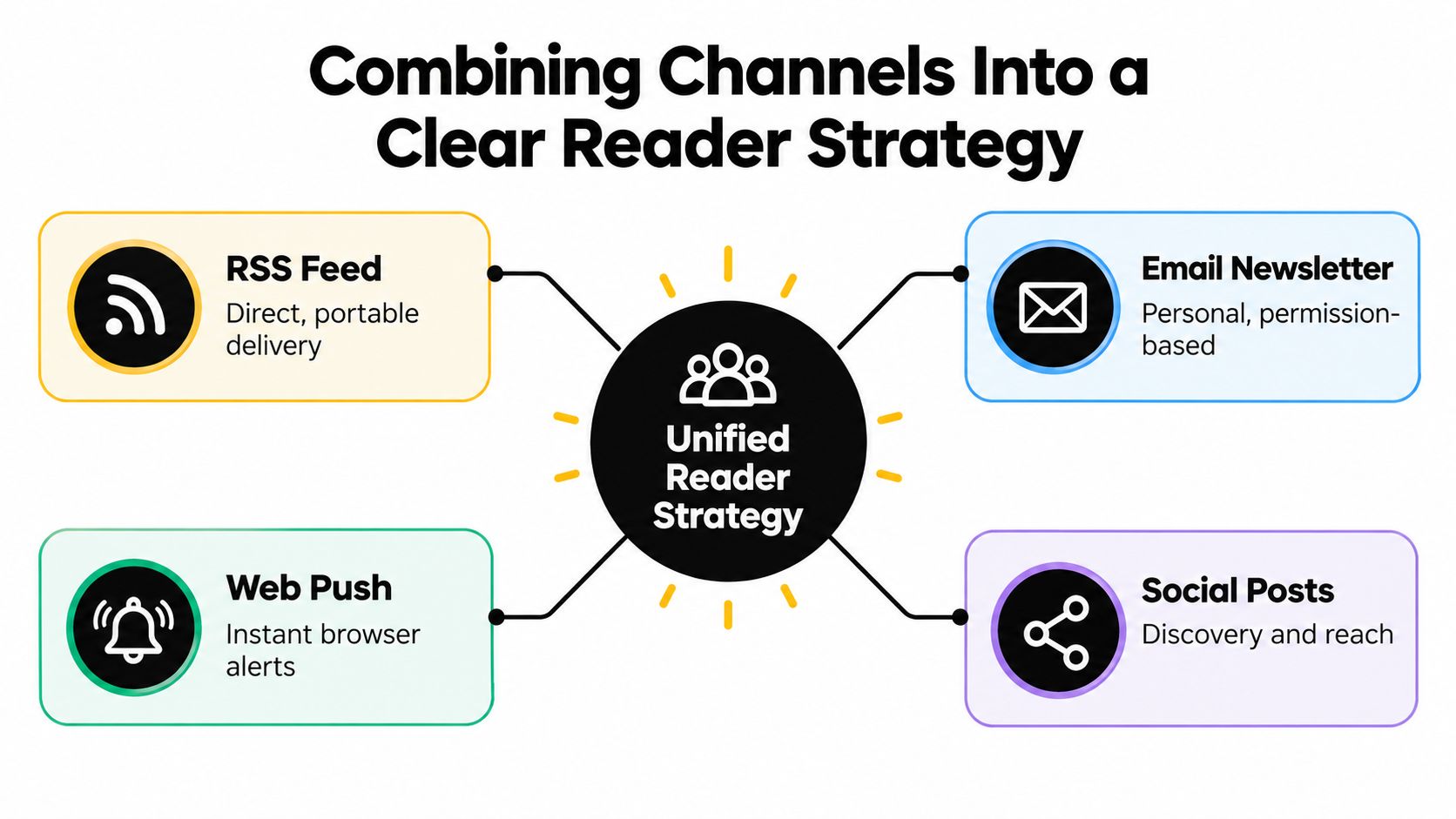
Readers shouldn't have to decode your subscription system. Present each option with a plain description of what it delivers, how quickly it arrives, and how the reader can stop or adjust it. “RSS for every post,” “weekly email summary,” and “push for selected alerts” communicate more than a row of unlabeled icons.
A useful strategy starts with channel roles rather than software. RSS handles the durable baseline. Email serves readers who want a scheduled editorial package. Push handles genuinely timely notices. Social posts help people discover the publication, but they don't provide the same control as a direct subscription.
Use a simple preference matrix
| Reader preference | Recommended path | Message style |
|---|---|---|
| Wants quiet, portable access | RSS | New post appears in the reader |
| Checks email regularly | Digest email | Curated list with summaries |
| Needs immediate awareness | Web push | One concise alert with a direct link |
| Finds content through networks | Social automation | Scheduled discovery post |
| Follows discussion activity | Comments feed | New comment entries only |
The interface should make these choices easy to find on desktop and mobile. Put the RSS link near the email form, state whether the email is instant or periodic, and provide a preference center for subscribers who want to switch channels. Use the same site name, logo treatment, and article naming conventions across every message so readers recognize the source quickly.
Accessibility belongs in the strategy, not just the implementation. WCAG guidance says status messages should be programmatically conveyed without forcing users to move focus, and unexpected context changes should be preventable or controllable. That supports a quiet default for routine updates, with accessible in-page confirmation after a subscription action rather than an unsolicited focus jump. The WCAG status message guidance provides the relevant implementation reference.
For teams producing content across many channels, scaling content with AI can help with repurposing and distribution planning, but automation should not decide the interruption level by itself. A human should approve what becomes a push alert, what belongs in a digest, and what can wait for the normal feed.
A small launch group can reveal confusing labels, duplicate messages, broken preferences, and timing problems before the system reaches the whole audience. Review the results by channel and by reader action, not by a single headline metric. The Read More Info blog provides the kind of article archive where these subscription paths should remain easy to discover.
Testing Your Notification Setup for Common Issues
Test the complete reader journey, not just the WordPress publishing screen. Publish a controlled post, confirm that it appears in the feed, check the email output, and verify whether push and social jobs use the same canonical URL.
Use different browsers and devices. Test a mobile feed reader, a desktop reader, a small-screen email inbox, and a browser with notifications denied. Confirm that a reader who declines push can still use RSS or email without seeing repeated permission prompts.
Launch checklist
- Feed rendering: Open the post and comments feeds and confirm titles, dates, links, and content display correctly.
- Feed changes: Check that a new item appears once, not repeatedly because of caching or unstable identifiers.
- Email layout: Test subject, preview text, images, article links, sender details, and unsubscribe controls.
- Push consent: Verify the explanation, permission state, pause option, expiry behavior, and duplicate prevention.
- Social timing: Confirm that scheduled posts use the right publication time and destination URL.
- Accessibility: Use a keyboard to operate subscription controls and test status messages with a screen reader.
- Error handling: Confirm that failed jobs retry safely and don't send the same alert twice.
For feed polling, store the server's ETag and Last-Modified values. On later checks, send the matching conditional headers. An unchanged feed should return HTTP 304 without a response body, while a changed feed should return HTTP 200 with new XML. Parse entries only after the 200 response, then deduplicate with a stable guid or id, not just a title or date. The RSS parsing workflow guidance explains this cache-aware approach.
After launch, monitor detection delay, delivery failures, clicks, unsubscribes, and duplicate alerts. Use exponential backoff after errors, and don't poll so aggressively that a small publication creates avoidable server load.
Read More Info offers a straightforward WordPress publication with accessible articles, on-site search, and open RSS feeds for posts and comments. Visit Read More Info to explore the content and use the same practical, reader-controlled notification principles on your own site.