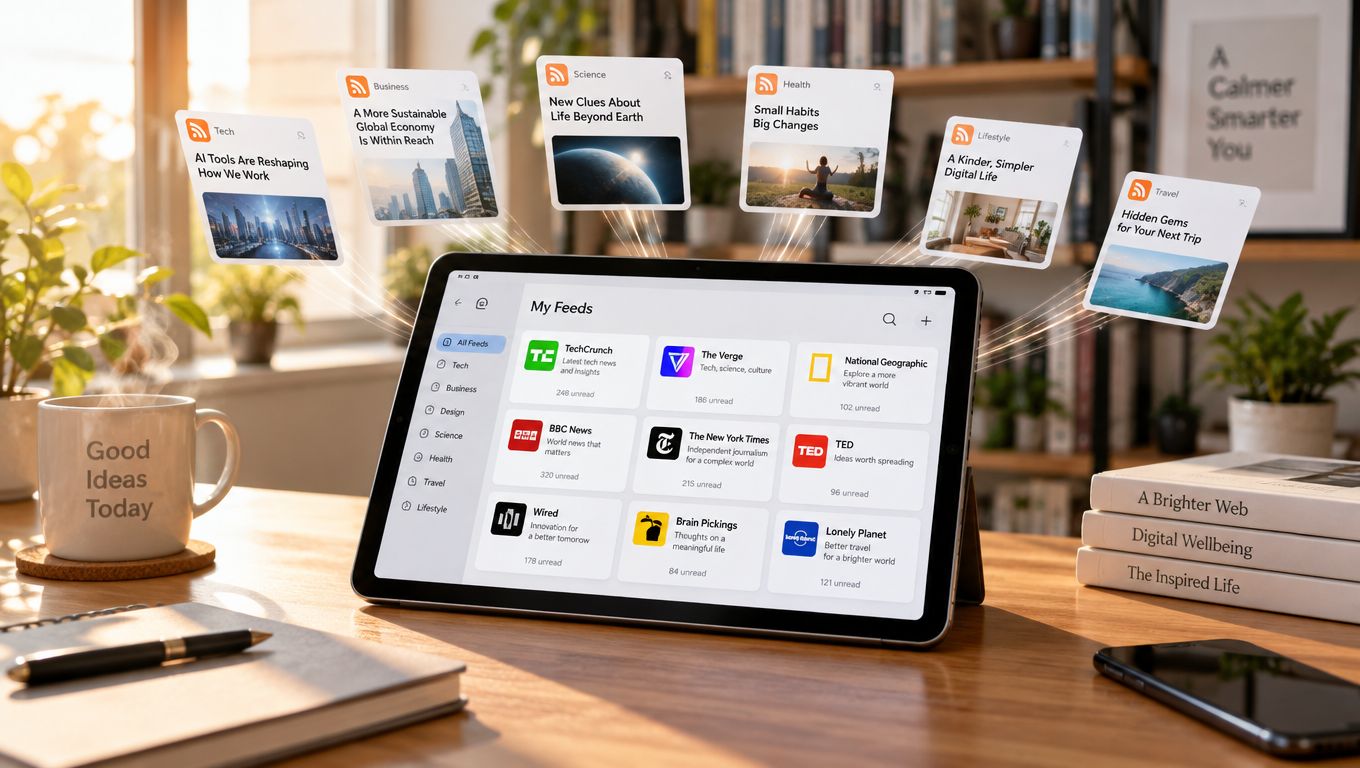
You open a favorite blog, check an industry publication, scan a news site, and search a few specialist pages for fresh articles. Then you repeat the process later because none of those sites tells you clearly what changed. The work isn't difficult, but it fragments your attention and makes it easy to miss something useful.
RSS readers solve that problem by bringing new items from selected websites into one interface. Instead of visiting every homepage, you subscribe to a site's machine-readable feed and let the reader collect updates for you. The result is a personal, algorithm-free information dashboard, built from sources you chose rather than recommendations selected by a social platform.
Table of Contents
- The Core Purpose of RSS Readers
- How Feed Aggregation Actually Works
- Choosing the Right Reader for Your Workflow
- Navigating Broken Feeds and Incomplete Data
- Curation Strategies for Information Overload
- Why Open Feeds Matter for Modern Publishers
The Core Purpose of RSS Readers
A site owner publishes a new article, and a reader wants to receive it without relying on a social platform, email list, or repeated visits to the homepage. RSS connects those two needs. The publisher exposes a feed once, while the reader subscribes through software that collects new items in a usable stream.
An RSS reader therefore works like a personalized newsstand. You choose the publications, decide which sources belong in the collection, and usually read updates in chronological order. The software retrieves items made available by your selected feeds, rather than ranking them according to predicted engagement.
From repeated checking to one dashboard
RSS is an XML-based method for syndicating content. A publisher exposes a feed, and reader software checks it periodically, gathers newly available items, and presents them together. Depending on what the publisher provides, the reader may display a headline, summary, date, and link while the full article remains on the original website.
That separation gives readers practical control over their information flow. A small independent blog can sit beside a large publication without either site's navigation determining how you find its updates. You can also remove a source when it becomes noisy, irrelevant, or unreliable.
Practical rule: Subscribe to sources because you value their publishing, not because you feel obliged to keep up with them.
RSS became important during the early web's shift toward automated content distribution. By late 2004, approximately 5% of U.S. internet users, more than 5 million people, reported using an RSS or XML reader for blogs and other content-rich websites, according to Pew Internet's survey of RSS audiences. The same research estimated that about 6 million Americans received news and information through RSS aggregators, while a separate May to June 2005 survey found that only 9% of internet users said they understood RSS feeds well.
These figures show that RSS had practical users before it became widely understood. The same remains true now. You can subscribe to a feed without learning XML, just as you can open a web page without studying how a browser processes it.
RSS also supports publishing workflows beyond personal reading. An automation specialist might turn RSS feeds into avatar videos, connecting newly published items with later production steps. The feed remains an open delivery layer that any compatible tool can consume, which supports interoperability between publishers, readers, and automated services.
RSS readers may be free to use, but their privacy, storage, synchronization, filtering, and export behavior can differ considerably, so apply the same scrutiny you would to any tool. For publishers, maintaining a usable feed keeps distribution available across reader software and other services, giving audiences a direct route to updates beyond a single platform.
How Feed Aggregation Actually Works
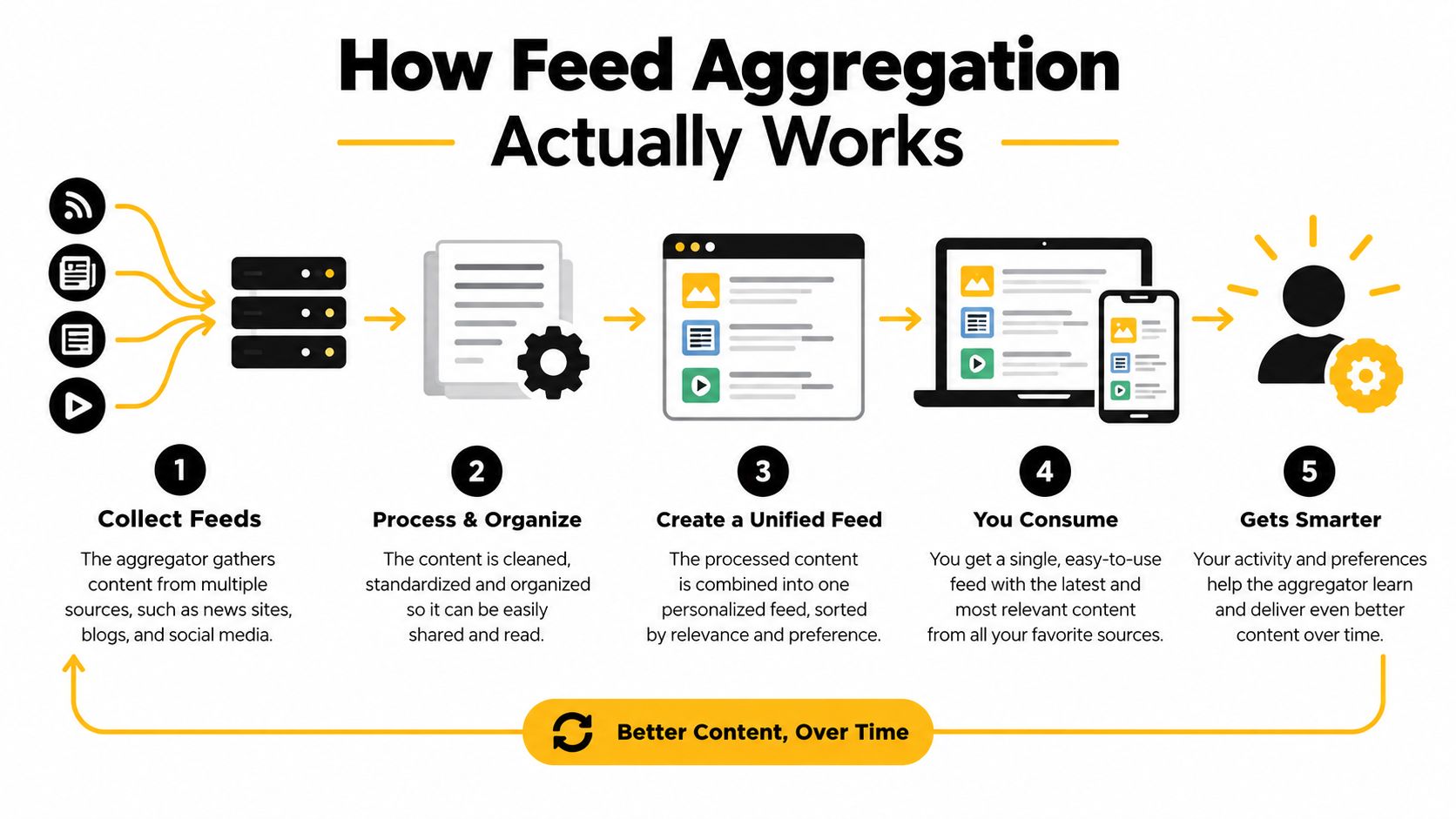
An RSS reader usually performs a quiet sequence of operations. It retrieves an XML document from a publisher, finds the feed's top-level <rss> element and <channel>, reads the individual <item> records, and turns those records into a readable stream.
You don't need to edit XML to understand the model. Think of the feed as a structured bulletin. The channel describes the publication, while each item describes one update.
What an RSS item contains
Under RSS 2.0, a channel holds feed-level information, and an item represents a discrete update such as an article or blog post. An item must include at least a title or description. It may also include a canonical link, publication date, author, categories, comments URL, enclosure, and globally identifying GUID.
The RSS specification draft describes this structure and its role in syndication. A reader may immediately display the title, summary, date, and source, then send you to the publisher's page when the feed provides only an excerpt.
The GUID, or globally unique identifier, helps a reader distinguish a new item from an edited or reordered one. Stable identifiers matter because a publisher might change the order of posts, update an article, or redesign the site. If the identifier changes unnecessarily, the reader may treat an old item as new and create a duplicate.
Discovery and retrieval are different jobs
A feed reader isn't normally a permanent copy of the website. It periodically retrieves the XML feed and stores or displays the information its design supports. The feed might contain a complete article, a short excerpt, an image reference, or only a link.
Consider a WordPress site with a site-wide feed at /feed/. A desktop application, mobile reader, browser service, or automation tool can subscribe to that endpoint without requiring a special app made by the publisher. The reader discovers the update through the feed, while your browser retrieves the full page from the original site when you open the link.
That interoperability is useful for publishers and operators. A content team might auto-tweet blog posts after a new item appears, while a reader might use the same feed only for personal research. The feed doesn't dictate one destination. It gives different tools a shared way to receive structured updates.
For a practical WordPress example, Read More Info's blog shows the kind of publication archive that can be followed through standard site syndication. The reader doesn't need to know whether the publisher uses a simple theme or a complex editorial workflow. It needs a feed that follows the expected structure.
RSS files must conform to XML 1.0. Malformed nesting, unescaped ampersands, invalid encoding, or unclosed elements can cause a parser to reject the document instead of skipping only the damaged post. A reader that appears to have missed an article may therefore be dealing with a feed error, a polling interval, or a retention rule rather than a failure to publish.
The following video provides another visual explanation of how feed aggregation connects a publisher's updates with reader software.

Choosing the Right Reader for Your Workflow
A publisher checking feeds on a laptop in the morning and a phone later needs more than a pleasant interface. The right RSS reader depends on where you read, how much control you want, and whether subscriptions, unread items, and saved articles should follow you across devices. The main options are cloud-hosted readers, local desktop or mobile apps, and self-hosted software.
A cloud reader works like a shared mailbox for feeds. The service stores your account and synchronizes subscriptions, unread items, and saved articles across devices. That convenience supports an algorithm-free reading routine, because you choose which sources appear and in what order. The trade-off is data exposure. Depending on the provider's design and policies, it may record account details, reading activity, IP addresses, or synchronization events.
A local reader keeps more of its operation on your own device. It can provide stronger offline access and reduce reliance on a third party, although synchronization between devices may be limited or require extra configuration. A device failure can also create a recovery problem if you have not exported your subscriptions.
Self-hosted software places the server, storage, and update process under your control. It fits readers who can maintain their own installation and want less dependence on a commercial service. You also take responsibility for backups, updates, security, and availability. The reader remains open and adaptable, but only while someone keeps the installation working.
RSS Reader Categories Compared
| Reader Type | Privacy Level | Cross-Device Sync | Setup Complexity |
|---|---|---|---|
| Cloud-hosted service | Depends on the provider's data practices | Usually convenient | Low |
| Local desktop or mobile app | Often stronger local control | May be limited or device-specific | Low to moderate |
| Self-hosted solution | High control if maintained carefully | Available when configured | Moderate to high |
Test the workflow before judging the interface. Export support matters because an OPML file lets you back up and move a subscription list. Check whether the reader offers folders, filtering, mute rules, full-text retrieval, offline reading, and dependable read-state tracking. Open an original article as well. The transition should preserve your place and make clear which site published the item.
Ownership check: Your subscription list is valuable editorial data. Choose a reader that lets you export it before you build a large collection.
Privacy needs the same practical examination. A local or self-hosted reader can reduce third-party exposure, while a hosted service may provide easier synchronization at the cost of retaining more operational data. Compare the provider's stated behavior with the control you need. Judge a reader the way you would judge any free software: by its export format, privacy policy, and maintenance cost, not by its price tag.
For WordPress site owners, the reader shapes how visitors experience a publication beyond its website. A clear feed, predictable links, and sensible excerpts make subscriptions useful across hosted, local, and self-managed readers. Site design still affects whether visitors can find and understand that content, so WordPress blog layout guidance belongs in the same publishing plan as the feed endpoint.
Navigating Broken Feeds and Incomplete Data
RSS is a delivery layer, not a guaranteed archive. A reader doesn't usually store a canonical copy of every page, and it can't repair information that a publisher never placed in the feed. If a feed contains only excerpts, the reader may show only excerpts. If the publisher removes the endpoint, the subscription can become stale.
This distinction prevents a common misunderstanding. A reader can tell you that an item was published, but it may not preserve the complete article, images, comments, or formatting. Government guidance on RSS explains that readers regularly check subscribed feeds and download updates, so missed items can result from polling intervals, feed errors, or retention limits. The U.S. Courts RSS frequently asked questions provides useful background on that subscription model.
Diagnose the failure before changing readers
Start with the feed address. Open it in a browser or feed validation tool and check whether it returns XML rather than an error page, login screen, or HTML template. If the publisher has redesigned the site, the old address may redirect, return an empty document, or expose a new endpoint.
Use this checklist when updates stop appearing:
- Check the endpoint: Confirm that the feed address still loads and that the publisher hasn't moved it.
- Inspect recent dates: A feed with no recent publication dates may be stale, even if the reader still shows old items.
- Look for duplicates: A redesign or changed GUID values can make existing posts appear as new. Remove duplicates carefully rather than deleting the whole subscription.
- Test the original link: An item can appear in the reader while its canonical page has moved or broken.
- Compare full text and excerpts: Publisher settings determine whether the feed exposes a complete article, a summary, images, or only a link.
- Validate the XML: Unescaped ampersands, invalid encoding, broken nesting, and unclosed elements can stop parsing.
- Export subscriptions: Keep an OPML backup so a reader migration or service failure doesn't erase your carefully selected sources.
Know what the reader can't fix
A feed reader may use the GUID to identify an item, but it can't infer the correct identity when a publisher changes identifiers carelessly. It may also retain only a limited history, depending on the application. A missed post might never reappear after the reader's retention window passes.
The practical response is to combine feed reading with browser reading. Use the reader for discovery and triage, open the canonical page for full context, and keep important material in a separate archive or notes system. That workflow respects the publisher's delivery choices without pretending that RSS replaces the website.
The same caution applies to automation. A workflow built on a feed should handle empty results, duplicates, redirects, and malformed XML. Treat the feed as an input that needs monitoring, not as an infallible database.
Curation Strategies for Information Overload
An algorithm-free stream gives you control over selection, but it does not remove the problem of volume. Subscribe to too many high-output sources and your reader becomes another crowded inbox. Chronological order places every update beside the next, even when one item deserves careful attention and another can wait.
Deliberate curation keeps the collection useful. Start with a clear question: What decision, project, or interest does this feed support? If you cannot answer, leave the source outside your main collection until its purpose becomes clear. RSS works best as a chosen information layer, not a second copy of the entire web.
Build a reading system you can maintain
Use folders based on real tasks rather than broad labels such as “interesting.” A publisher might create folders for client research, industry news, technical reference, local updates, and long-form reading. The structure works like labeled trays on a desk. Each folder narrows the next decision, so you spend less time deciding what to open.
Apply these controls as the collection grows:
- Separate urgency from importance. Put time-sensitive sources in one folder and reflective or evergreen sources in another.
- Mute repetitive topics. If a feed publishes frequent variations on the same subject, use keyword rules where the reader supports them.
- Filter before saving. Save items connected to a current project instead of treating every unread headline as future research.
- Review low-value feeds. Remove sources that create more noise than insight. You can always resubscribe later.
- Use a holding area. Keep experimental subscriptions away from the feeds you read every day.
Editorial discipline: An unread count is not a responsibility. It only measures the items your reader has retrieved.
Curation also requires accepting the limits of a chronological feed. It will not automatically balance subject areas, identify the most important story, or supply every piece of context. Its strength is transparency: you can see which source published an item and why it entered your collection. Use tags, folders, and saved items to add your own priorities without surrendering selection to an opaque ranking system.
The same discipline applies to free tools in general. Google Cloud's free AI tools information, for example, documents concrete allowances, including the first 1,000 units per month for Cloud Vision and the first 1,000 minutes of analyzed video per month for Video Intelligence at no charge. Those allowances do not expire, although Google says limits may change. That level of specificity is useful when trimming a feed list: evaluate stated conditions rather than vague labels.
One documented video-tool comparison shows a 720p output limit and one watermark-free export per month on one free tier, versus unlimited 1080p exports without a watermark elsewhere, so inspect actual conditions before committing, as explained in this free AI video-editing comparison.
Keep the same standard for any service you follow or recommend. Check file compatibility, export restrictions, privacy terms, quotas, and whether a product is free or only a trial. Curation includes the sources in your reader and the tools you use to process what they deliver.
Why Open Feeds Matter for Modern Publishers
For a publisher, an RSS feed is a distribution contract. It tells readers and other software how to discover new work without forcing them into a proprietary application or a social platform. A clean feed can reach a desktop reader, mobile app, browser service, newsletter workflow, accessibility tool, or internal automation process.
That interoperability changes the relationship between publisher and audience. A social platform may decide which followers see a post, while an RSS subscriber intentionally selects the source. The publisher still needs to earn attention through useful work, but the delivery path doesn't depend entirely on an engagement ranking system.
Treat the feed as part of the publication
A reliable publishing setup starts with a stable site feed and clear canonical links. Check whether titles, summaries, dates, authorship, categories, and GUIDs appear consistently. Decide whether readers should receive complete posts or excerpts, then communicate that choice through the site's design and the destination page.
Comments feeds can extend the relationship beyond new articles. Sites like Read More Info expose open site and comments RSS feeds, allowing readers to follow new posts or discussions through automation workflows and supporting publishers who value open syndication over app-specific engagement loops.
The publisher should also protect the subscription experience during changes. Keep feed addresses stable where possible, preserve redirects when an endpoint moves, validate XML after theme or plugin changes, and maintain a backup of important configuration. A feed that works today but breaks after a redesign weakens trust, because subscribers may not realize that updates have stopped.
Open syndication supports durable discovery
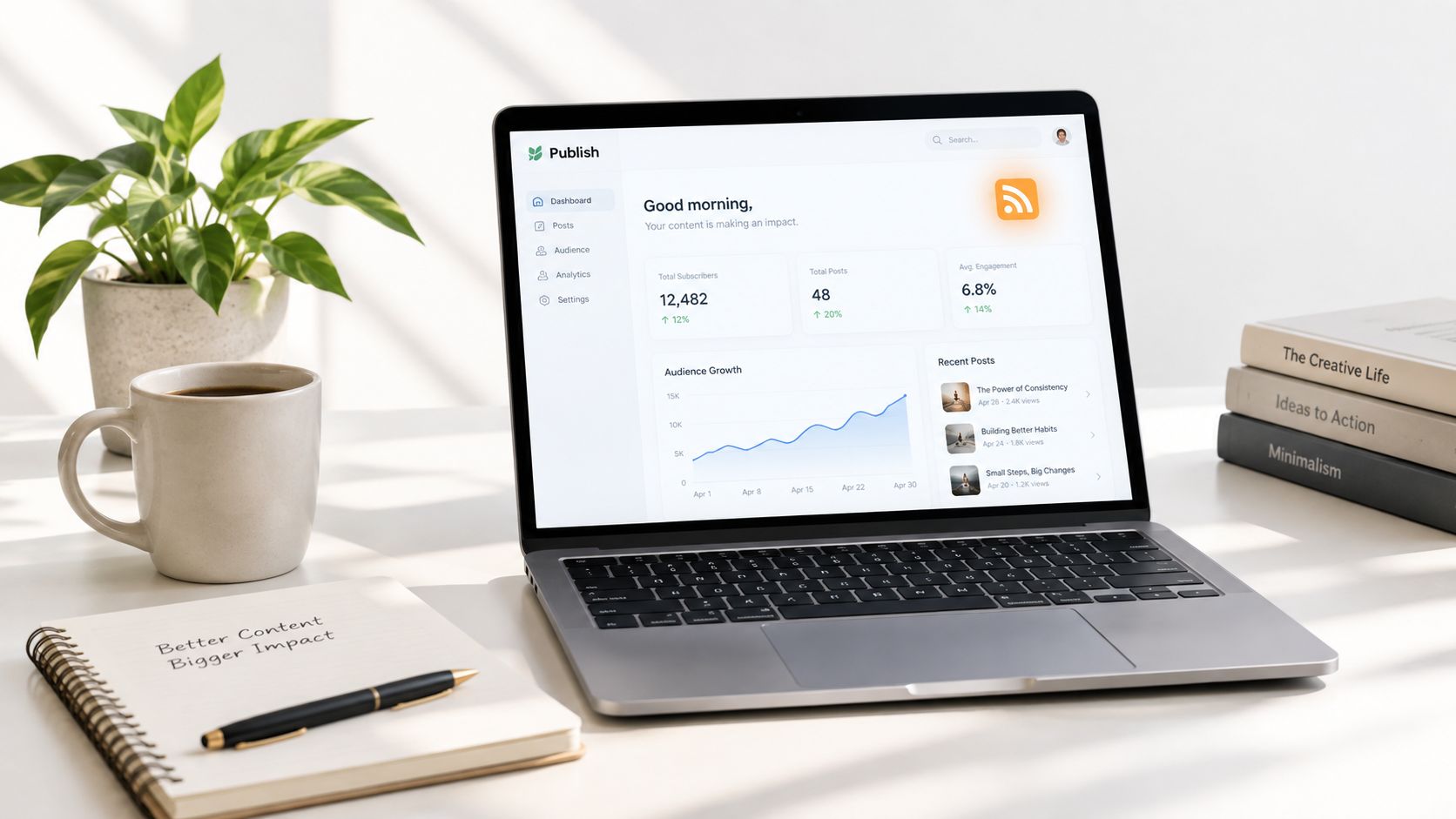
RSS doesn't replace a website, newsletter, search strategy, or social presence. It gives those channels a standards-based companion. A reader can discover a post through the feed, open the canonical page for the complete experience, search the site for related material, and return through the same subscription when the next update arrives.
That makes RSS especially useful for WordPress beginners and small publishers. You don't need to build a proprietary reading application to offer subscribers a structured way to follow your work. A well-maintained feed lets other tools participate while the original site remains the authoritative destination.
If you're building a publication, the feed should be planned alongside the site itself. This guide to creating a WordPress blog can help establish the broader publishing foundation, while feed validation and subscription testing protect the delivery layer.
Open feeds also clarify what the publisher owns. You may not control every reader application, but you can control the source URL, item structure, canonical links, publication rhythm, and quality of the original page. Readers choose how they consume the update, and publishers retain a direct path to the work.
In practical terms, RSS is neither a nostalgic inbox nor a complete archive. It's an open, algorithm-free mechanism for moving structured updates from a publisher to the tools a reader trusts. Its value depends on thoughtful subscriptions on one side and dependable feed maintenance on the other.
Read More Info offers a straightforward WordPress publication with informational posts, site-wide RSS syndication, comments feeds, search, and a mobile-friendly reading experience. Visit Read More Info to explore the site and follow its updates through the RSS reader that fits your workflow.