
Most editors assume topics start with inspiration. They don't. They start with evidence about what people already follow, and in a Pew Research Center survey of 9,482 U.S. adults conducted March 10 to 16, 2025, 62% said they get news about government and politics extremely often or often. That was nearly double science and technology or business and finance. Your tools tell the same story. The keyword you checked, the chart you built, and the clip you captioned all expose real reader problems.
That's why free tools are the fastest source of good editorial topics for a lean WordPress site. Each category below solves a production problem and gives you a publishable angle. Office apps produce the draft. AI and OCR speed up source work. Keyword, image, video, and visualization tools shape the package. Utilities, budgeting, CRM, and maps keep the operation running.
I recommend working tool first, topic second. Pick one task you're already doing this week, note where the free version helps or blocks you, and turn that friction into an explainer. You'll get specific posts instead of generic listicles, with examples, drawbacks, and steps readers can use the same day.
Table of Contents
- 1. Free Office and Productivity Tools for Writers and Publishers
- 2. Free AI, OCR, and Writing Assistance Tools Online
- 3. Free Video Editing Tools for Beginners and Bloggers
- 4. Free Software Utilities for Archive, Disc Image, and Audio Tools
- 5. Free Keyword Research Tools for Finding Article Topics
- 6. Free Photo Editing Alternatives to Photoshop
- 7. Free Budgeting and Personal Finance Tools for Solo Creators
- 8. Free Diagramming, Data Visualization, and Business Intelligence Tools
- 9. Free CRM and Mapping Tools for Small Sites and Local Guides
- 9 Free Tool Categories Compared for Editors and Bloggers
- Turn These Tools Into Your Next Month of Posts
1. Free Office and Productivity Tools for Writers and Publishers
Your draft lives or dies before WordPress. Free office tools give you a clean place to outline, write, comment, and archive without paying for seats you rarely use. LibreOffice works offline and handles long documents well. Google Docs is better when a contributor needs to comment in real time. Both count as practical free writing tools if you set them up properly.

A simple draft to publish routine
- Draft outside WordPress: Write in Docs or LibreOffice, then paste into the block editor and fix headings manually.
- Track in a sheet: Keep title, owner, status, source links, and deadline in one shared spreadsheet.
- Export a backup: Save a dated copy before major edits, especially for posts you'll update.
Say you're planning four explainers on web basics. Draft each one in the same template, with H2s, source notes, and image slots marked. The drawback is formatting drift. Pasted text brings stray spacing and bolding. Check it block by block. That small cleanup routine is itself a useful topic: how a solo editor moves a draft from an office file to a publishable post without losing structure.
2. Free AI, OCR, and Writing Assistance Tools Online
Use free ai tools online for speed, not authority. They can summarize a long report, suggest headline variants, or turn notes into an outline. They can't verify a claim for you. The Reuters Institute 2025 Digital News Report PDF found audiences expected AI to make news less trustworthy, at -18 net, even while welcoming summaries and translation. Transparency is therefore an editorial feature, not a footnote.

Free ocr tools solve a different problem. Tesseract powers many document tools, and Google Drive can recognize text in scanned PDFs. Adobe's free online OCR tool can process entire multi-page documents and make all pages searchable. Proofread names, dates, and tables against the scan. OCR confuses similar characters.
Practical rule: Let AI propose. Let a human verify, source, and sign off.
Treat free humanizer tools with caution. Rewriting to hide AI use undermines trust and often flattens voice. Disclose assistance where your policy requires it, don't paste confidential reader data into any free service, and check student focused options if you want to find free AI tools for studying. A strong use case is converting a scanned council PDF into searchable text, then writing your explainer from the verified original.
3. Free Video Editing Tools for Beginners and Bloggers
Short video earns its place when a process is easier to show than describe. Among free editing tools for videos, DaVinci Resolve gives you serious color and audio controls, but its learning curve is real. OpenShot and Shotcut are simpler for trims, titles, and captions. Choose based on the export you need, not the timeline you like.

This video is hosted by YouTube (Google). Pressing play loads the video from YouTube, which may set cookies and share data with Google.
Export rules decide whether "free" stays free at delivery. Microsoft's Clipchamp page describes unlimited watermark free exports on the free plan, limited to 1080p HD. That's enough for most embedded explainers. Test the final file on a phone before uploading.
Keep the clip tight
- One question per clip: Answer it, show the result, stop.
- Caption everything: Captions help accessibility and muted autoplay viewing.
- Embed, don't host heavy files: A video platform protects page speed on WordPress.
Say you're publishing a guide to scheduled posts. Record a two minute screen capture, cut dead air, add captions, and embed it under the matching step. That's how free tools for video editing create a topic and improve it at the same time. The trade off is time. A sloppy video costs more trust than no video.
4. Free Software Utilities for Archive, Disc Image, and Audio Tools
Utilities don't look editorial. They prevent the problems that stop publication. Large source folders, podcast audio, ISO files, and bundled downloads all need handling before a post ships. 7-Zip is the default choice among free zip tools for compressing and extracting files because it's open source and predictable. Audacity handles voice cleanup and podcast edits without a subscription.
For disc images, searches for free daemon tools usually lead to Daemon Tools Lite, which mounts ISO files in its free version. Download it only from the official site and watch installer screens for bundled offers. The same caution applies to audio production. Searches for a free pro tools download or pro tools free download often point to cracked copies of Avid software. Don't use them. They bring legal risk and malware risk.
Download from the developer or a trusted repository, then scan the file before installing.
Check Avid's current terms for limited function or trial options instead, and say so plainly in your post. That honesty becomes a strong topic: what "free" means across utilities, where the limit appears, and which open source option covers the job for a small site. Say you need to send a contributor a folder of images and audio. Compress it with 7-Zip, name it by date and slug, and note the password handling separately.
5. Free Keyword Research Tools for Finding Article Topics
Good editorial topics need demand you can see. Free keyword tools show what readers type, which questions repeat, and where existing answers are thin. Google Keyword Planner gives search volume ranges with a Google Ads account. Google Trends shows relative interest over time. Ubersuggest and AnswerThePublic offer limited free searches that are useful for question mining.

Volume alone misleads. A high volume term with unclear intent produces a vague post. I look for a specific task, a named tool, or a comparison. If I'm evaluating any single free keyword tool, I check whether it exports questions cleanly and shows related terms I can turn into H2s. For a broader scan, Taja AI's keyword tool comparison is a useful companion.
Turn a query into an outline
- Cluster by intent: Group "how to", "vs", and "free alternative" searches separately.
- Use questions as headings: Match the reader's wording without stuffing it.
- Revisit quarterly: Track rankings and update posts where intent shifts.
Say Trends shows steady interest in a WordPress setup term while AnswerThePublic surfaces cost and beginner questions. Build one guide that answers setup first, then cost, then mistakes. That's a topic with a built in structure.
6. Free Photo Editing Alternatives to Photoshop
Images make instructions scannable, but heavy files slow the page. Free tools like photoshop cover most blog needs without a subscription. GIMP handles layers, masks, and retouching. Photopea runs in the browser and reads PSD files, which helps when a contributor sends a layered graphic. Krita is stronger as one of the free drawing tools for illustration and hand drawn annotations.
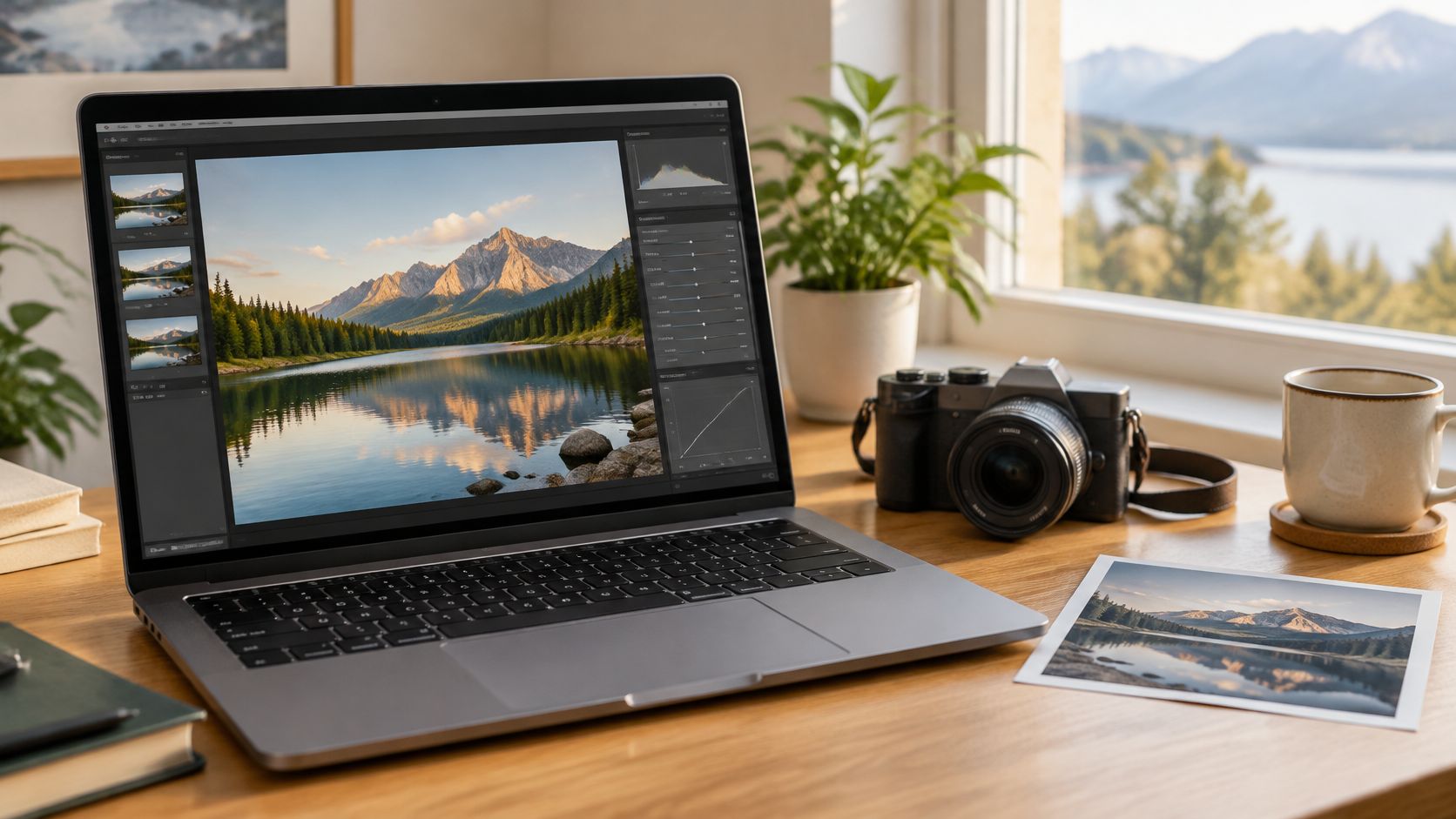
The drawback is consistency. Each editor exports differently, and color profiles can shift. Set one output standard and stick to it. Resize to the display width, export as WebP or compressed JPG, and keep the high resolution original outside WordPress.
- Name files descriptively: Use the topic and subject, not a camera number.
- Write real alt text: Describe what the image shows for readers and search.
- Annotate sparingly: One arrow or crop beats a cluttered screenshot.
Say you're explaining a dashboard setting. Crop to the relevant panel in GIMP, add one highlight box, export a web copy, and keep the full screenshot archived. Your follow up post writes itself: how you prepare featured images that stay sharp on mobile without bloating the page. That workflow matters more than chasing every Photoshop feature.
7. Free Budgeting and Personal Finance Tools for Solo Creators
Variable income kills small publications. Ad revenue, affiliate payouts, and client work rarely arrive on the same schedule. Free budgeting tools give you a clear view of what's committed, what's overdue, and what you can spend on hosting or help. GnuCash suits proper double entry accounting. Actual Budget fits envelope style planning and can be self hosted. A Google Sheets template is enough if you'll maintain it.
Separate business and personal money from the start. That one decision simplifies tax time and sponsor reporting. Set aside a percentage of each payment for taxes based on your local rules, and review categories monthly while the details are fresh. If you want a wider shortlist before committing, compare free budgeting apps for 2026 and test import quality with one real month of transactions.
Solo creator test: If reconciling takes longer than writing the post, your system is too complex.
Say your site earns from ads one month and a sponsored guide the next. Tag each income line by source and each expense by fixed or optional. Within a quarter you'll see which content pays for its production time. That turns budgeting into editorial intelligence, not admin. The trade off is privacy and upkeep. Self hosting gives control, but you're responsible for backups and updates.
8. Free Diagramming, Data Visualization, and Business Intelligence Tools
A clear diagram can replace three paragraphs of process description. Excalidraw makes hand drawn style whiteboards that feel approachable. diagrams.net handles flowcharts and network diagrams. Among free wireframe tools, Figma's free tier is practical for page layouts and interface mockups before you change a WordPress template.
For data, free visualization tools split into two jobs. Google Looker Studio builds dashboards from connected sources. Tableau Public publishes public visualizations, so don't put private business data there. For heavier analysis, free bi tools such as Microsoft Power BI Desktop let you build reports locally before deciding what to share.
Text still carries the explanation. The Reuters Institute Digital News Report 2025 found 55% of respondents preferred text online, compared with 31% who preferred watching. Pair every chart with a plain language takeaway in the article itself.
- Export SVG where possible: It stays crisp on responsive layouts.
- Label axes and sources: A chart without provenance invites distrust.
- One message per visual: Split crowded dashboards into separate images.
Say you're explaining how RSS reaches readers. Draw the flow in diagrams.net, export SVG, and describe each step in text for accessibility. The post becomes easier to share because the visual stands alone.
9. Free CRM and Mapping Tools for Small Sites and Local Guides
Reader relationships scatter fast. Sponsor leads sit in email, newsletter contacts sit in a form tool, and correction requests sit in comments. Free crm tools bring those contacts into one searchable place. HubSpot CRM has a free plan that many small businesses start with. Tag contacts by interest, such as WordPress help, sponsorship, or local coverage, and you'll stop sending everyone the same update.
Location content needs the same discipline. Among free map tools, Google My Maps creates simple shared maps, while OpenStreetMap provides community edited map data you can credit on the page. My Maps is faster for a one off guide. OpenStreetMap is better when you need open data and control over presentation.
Keep records clean
- Collect only what you need: Name, email, and interest usually suffice.
- Show a privacy notice: Put it on every sign up and contact form.
- Update map layers: Remove closed venues and cite the data source.
Say you're building a local guide to study spaces or small venues. Plot each location, add hours and access notes, and link each marker back to your detailed post. Then use the CRM to track which venue owners replied. The drawback is maintenance. A stale map or an unanswered lead damages trust faster than having neither tool at all.
9 Free Tool Categories Compared for Editors and Bloggers
| Tool Category | Best For | Main Strength | Watch Out For |
|---|---|---|---|
| Free Office and Productivity Tools | Drafting, formatting, and sharing content | Collaboration and cloud saving at no cost | Offline access, formatting, and free-tier features may be limited |
| Free AI, OCR, and Writing Assistance Tools | Brainstorming, transcription, and editing | Speeds up repetitive writing and document conversion | Verify AI output; free tiers may limit use or handle data differently |
| Free Video Editing Tools | Creating short videos and tutorials | Capable editing features with no basic licensing cost | Learning curve, export limits, and video file sizes |
| Free Software Utilities | Archiving files, mounting disc images, and editing audio | Free options support file sharing and audio production | Untrusted installers can pose malware and licensing risks |
| Free Keyword Research Tools | Finding article topics and search questions | Reveals search trends and related ideas | Volume estimates may be imprecise; data alone does not guarantee traffic |
| Free Photo Editing Alternatives | Preparing images for websites and articles | Useful editing without subscription fees | Photoshop compatibility and advanced color workflows may be limited |
| Free Budgeting and Personal Finance Tools | Tracking creator income, expenses, and cash flow | Flexible tracking for irregular income | Manual entry and limited bank syncing may be required |
| Free Diagramming, Data Visualization, and BI Tools | Creating diagrams, charts, and dashboards | Makes processes and data easier to understand | Free plans may limit collaboration, data sources, or exports |
| Free CRM and Mapping Tools | Organizing contacts and publishing location guides | Combines contact tracking with useful interactive maps | Plan limits, API charges, and privacy obligations may apply |
Turn These Tools Into Your Next Month of Posts
Start with your current workload, not a brainstorming session. Pick one category each week and publish a hands on walkthrough of what you tried, what worked, and what didn't. That gives you nine grounded angles: a drafting template, an OCR cleanup, a captioned explainer, a safe downloads guide, a keyword cluster, an image workflow, a creator budget, a chart remake, and a local map. Each post proves its point because you used the tool on a real task.
Format matters as much as subject. The Reuters Institute Digital News Report 2025 record surveyed more than 97,000 online news consumers across 48 markets and found social video news consumption rose from 52% in 2020 to 65% in 2025. Build the text article first, with dates, definitions, and links to primary evidence. Then cut a short video, a visual summary, or an audio ready version from the same verified material. You serve readers who prefer text and younger readers who discover through social and video networks, without inventing facts for each channel.
We publish this kind of practical coverage at Read More Info, including an overview of free tools online such as image compressors, grammar checkers, photo editors, and text to speech utilities. Each article explains what the tool is used for and how to get started with it. We aim to keep articles accurate and update them when software or features change. We're a blog about WordPress and practical web topics, run by a single editor, and advertising is kept separate from editorial content. That lean setup is a useful model because the workflow above doesn't need a newsroom budget. It needs a repeatable template and honest notes.
Make your first move small. Choose the tool you already open daily, write down its free limit, its best feature, and the point where you'd pay or switch. Publish that comparison this week, then add it to your editorial calendar as a series. Subscribe through our RSS feed to follow new posts, and send questions or corrections through our Contact page. If you comment, comments are held for review before they appear, which keeps discussion usable for other readers.
If you're building a lean WordPress publication and need steady, practical ideas for good editorial topics, Read More Info publishes clear posts on WordPress, web basics, and free online tools you can model in your own workflow. Visit to read the latest guides, follow updates by RSS, and pick one tool walkthrough to adapt for your next post.